Laptops
 After-dinner conversations
 All-in-one computers
 Monitors
 Mobiles
 Tablets
 Apple Zone
 Peripherals and Accessories
 Networks and cables






€16.95
€19.04
-11%
Find fully compatible and refurbished HP laptop chargers with a quality guarantee and at the best price. Bring your device back to life with our verified chargers, ideal for work, study, or simply enjoying your laptop like new.
Mostrando 9 productos
Dudas frecuentes
To ensure 100% compatibility when buying an HP charger , the most reliable method is not to rely on the laptop model, but rather on the specifications of the original charger. Turn your old charger over and look for a label with its specifications. You should pay attention to three crucial pieces of information:
If you no longer have the original charger, the next best option is to search for the exact model of your HP laptop charger , which you'll find on a sticker on the bottom of the device. Verifying this information is the best way to ensure you purchase the perfect charger for your HP Pavilion or HP EliteBook.
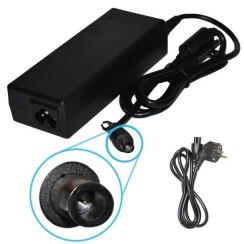
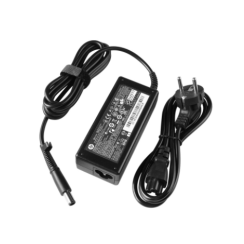
The famous HP blue-tip charger refers to a specific type of connector ( 4.5mm x 3.0mm ) that is much more than a simple plug. Its distinguishing feature is the central pin, which acts as a 'smart pin' . This pin doesn't supply power; instead, it establishes data communication between the charger and the laptop. Its function is crucial: the pin informs the laptop of the exact power (in watts) that the charger is capable of delivering . Thanks to this communication, the HP laptop can verify if the charger is suitable and original (or a high-quality compatible one). If the pin is damaged, or if you use a generic charger without this technology, several things can happen:
Therefore, when replacing your HP laptop charger , it's vital to ensure the new model is high-quality and retains the smart pin functionality. This guarantees safe and efficient charging and protects your battery's long-term health.
Using a universal HP charger can be an emergency solution, but it's not the best long-term option and carries certain risks if you don't choose a high-quality model. The main advantage of a universal charger is its versatility, as it includes multiple interchangeable tips. However, the disadvantages can be significant:
In terms of price, a high-quality compatible HP charger or a refurbished original charger is usually very similar in cost to a well-known universal charger, but with the advantage of being specifically designed for your device. Therefore, it will always be a safer and more reliable option , guaranteeing the performance and longevity of your investment.
This is a very important technical question for the health of your device and battery. The rule is simple:
Therefore, when looking for an HP laptop charger , always make sure that its power is equal to or greater than that of the original charger .
Relacionados con HP Chargers
Opiniones de nuestros usuarios
Top ventas HP Chargers