Laptops
 After-dinner conversations
 All-in-one computers
 Monitors
 Mobiles
 Tablets
 Apple Zone
 Peripherals and Accessories
 Networks and cables






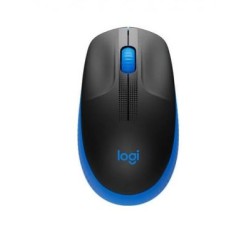
€14.96
€25.99
-42%
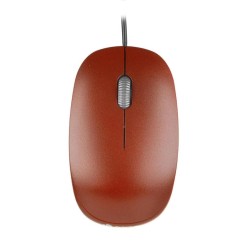
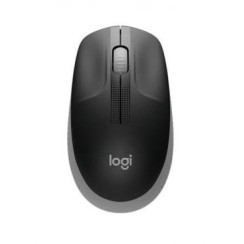
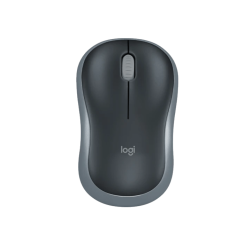
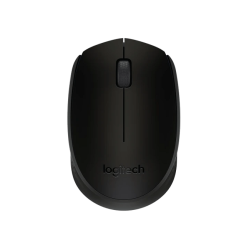
Explore our selection of mice and find the perfect model for your work or play style. We offer ergonomic mice , gaming mice , and wireless mice from leading brands, designed for precision, comfort, and durability. Whether you're looking for an affordable mouse for everyday use or a high-performance device for professional or leisure tasks, you'll find the best reviewed and guaranteed options here.
Mostrando 27 productos
Dudas frecuentes
The choice between a wireless and a wired mouse is a classic debate between comfort/aesthetics and maximum performance/reliability .
The decision depends on your needs. If you're looking for a stylish workspace and primarily use it for office work, browsing, or casual gaming, a wireless mouse is an excellent choice. These days, the 2.4GHz wireless technology used by many models (via a USB dongle) is so fast that latency is imperceptible to most users. If you're an esports player or simply don't want to worry about battery life, a wired connection remains the safest bet.
Although both are wireless mice , they use different connection technologies with very clear advantages and disadvantages.
For maximum portability and to free up ports, choose a Bluetooth mouse . For gaming and maximum responsiveness in a desktop PC mouse , a 2.4GHz connection is superior.
These two technical terms are at the heart of a gaming mouse and define its precision and responsiveness, but they are often misunderstood.
Understanding these two concepts is key to configuring your mouse and getting the most out of it.
You should seriously consider an ergonomic mouse , and especially a vertical mouse , if you spend many hours a day in front of a computer and are starting to experience discomfort , or if you want to prevent it in the long run. It's not a luxury; it's a health tool designed to drastically reduce strain on your hand, wrist, and forearm . A traditional flat mouse forces you to keep your forearm pronated (with your palm facing down), an unnatural posture that twists the ulna and radius bones and puts constant pressure on the nerves and tendons in your wrist. In the long term, this posture can contribute to ailments such as carpal tunnel syndrome or tendonitis. A vertical mouse, on the other hand, is designed to be held in a 'handshake' position . This is the neutral, resting position of the human arm , which aligns the forearm bones and eliminates twisting. The change is immediate: strain in the wrist and forearm almost completely disappears. If you experience pain, stiffness, or numbness in your hand or wrist at the end of your workday, it's a clear sign that your body is asking for an ergonomic solution. It's a direct investment in your well-being and your ability to work comfortably and pain-free for years to come.
Relacionados con Mice
Opiniones de nuestros usuarios
Top ventas Mice