
 Laptops
 After-dinner conversations
 All-in-one computers
 Monitors
 Mobiles
 Tablets
 Apple Zone
 Peripherals and Accessories
 Networks and cables






RAM
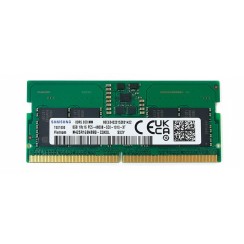
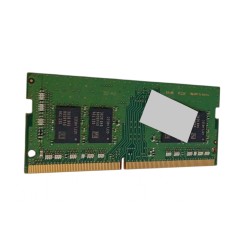
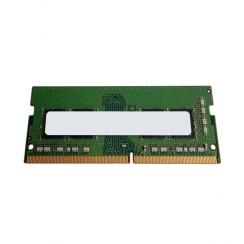
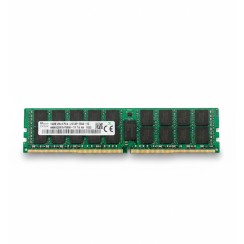
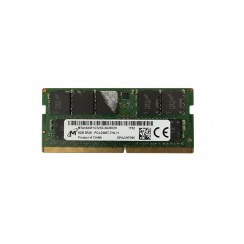
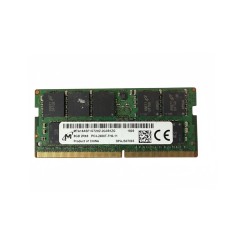
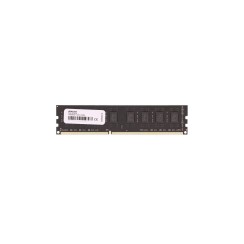
Discover our selection of refurbished RAM modules , perfect for upgrading your computer. We offer quality products at affordable prices, ensuring optimal performance. Each unit has been carefully tested to guarantee its functionality. Don't miss the opportunity to upgrade your technology without overspending. Transform your computing experience with our refurbished RAM!
Mostrando 7 productos
- New
Dudas frecuentes
No, it's physically and electrically impossible , and it's one of the most common mistakes when trying to upgrade RAM . Although both are RAM modules, the different generations (DDR3, DDR4, DDR5) are not backward compatible. The main reason is the physical design: the notch on the RAM module connector is in a different position for each generation, physically preventing a DDR4 module from fitting into a DDR3 slot, and vice versa. This is done intentionally to prevent damage to the components. In addition to the physical difference, there are also crucial electrical differences. For example, DDR4 RAM operates at a lower voltage (usually 1.2V) than DDR3 (1.5V or 1.35V in its low-power DDR3L version). Forcing a module into the wrong slot, even if successful, could permanently damage both the memory and your laptop's motherboard. Therefore, before buying RAM , it's absolutely essential to check what type of memory your computer uses. You can do this by checking the manufacturer's specifications or using diagnostic software like CPU-Z. The golden rule is to always buy the same type (DDR3, DDR4, etc.) and format (SO-DIMM for laptops) that your motherboard supports.
The ideal amount of RAM depends directly on how you use your computer. There's no single answer, but we can use user profiles as a guide to help you make the right decision:
- 8GB of RAM: Today, this is the minimum recommended amount for a smooth user experience . With 8GB of RAM , you can browse the internet with multiple tabs open, work comfortably with office suites (Word, Excel), make video calls, and enjoy multimedia content without problems. It's the perfect starting point for students and for most office tasks.
- 16GB of RAM: This is the sweet spot for most power users and gamers . With 16GB of RAM , you get a performance cushion that allows you to run more demanding applications (like Photoshop or programming software) alongside your regular tasks without the system slowing down. For gaming, it's the recommended amount for most modern titles, ensuring you won't experience stuttering or lag due to insufficient memory. It's the best value upgrade in terms of performance and price.
- 32GB of RAM or more: This amount is reserved for professionals and enthusiasts with very specific needs . If you work in 4K video editing, 3D modeling, operating system virtualization, or music production with very large sample libraries, 32GB will allow for a smooth workflow. For 95% of users, this amount is excessive.
Evaluating your daily usage is the best way to decide how much RAM you need and to optimize the price of your RAM .
For maximum performance, it's almost always best to install two 8GB modules . The technical reason for this is called Dual Channel . Most modern motherboards are designed to work with this technology. When you install two identical memory modules in the correct slots, the processor's memory controller can access both modules simultaneously, effectively doubling the bandwidth for communication between the CPU and RAM. Think of it as going from a single-lane highway to a two-lane one: the data flow is much faster and more efficient. In practice, this translates to a performance improvement of between 5% and 15% , depending on the application. This improvement is especially noticeable in memory-bandwidth-intensive tasks, such as gaming (especially with integrated graphics) and certain compression and rendering applications. Therefore, when upgrading the RAM in your PC or laptop, if you have two available slots, a 2x8GB configuration for a total of 16GB of RAM will give you superior performance compared to a single 16GB module. The only exception would be if you plan to upgrade to 32GB in the near future, in which case starting with a single 16GB module would leave you with a free slot to add another identical one later.
Megahertz (MHz) indicates the clock speed or frequency of RAM , meaning how many data cycles it can complete per second. For example, 3200MHz RAM is theoretically faster than 2666MHz RAM. While capacity (in gigabytes) is the most important factor for multitasking, speed also plays a crucial role in overall performance, especially in certain applications. Faster RAM allows the processor to access the data it needs more quickly, which can reduce loading times and improve the smoothness of tasks that handle large amounts of data. The importance of speed depends on the type of processor you have.
- For AMD Ryzen processors: RAM speed is extremely important . The Ryzen architecture is designed so that the processor's internal communication speed (the 'Infinity Fabric') is directly linked to the RAM frequency. Using faster RAM has a direct and very noticeable impact on overall performance, especially in games.
- For Intel processors: Speed also matters, but the impact is usually less pronounced than with Ryzen. Even so, faster RAM will provide a measurable performance improvement, especially in gaming and intensive tasks.
When buying RAM modules , it's vital to ensure the speed you choose is compatible with your motherboard and processor. The motherboard has a maximum supported speed, and buying RAM faster than your motherboard can handle won't provide any additional benefit.
Relacionados con RAM
Opiniones de nuestros usuarios
Top ventas RAM
- New