Laptops
 Desktop computers
 Ordenadores All-in-One
 Monitors
 Refurbished mobile phones
 Tablets
 Zone Apple
 Peripherals and Accessories
 Networks and Cables






Chargers
Discover our selection of laptop chargers compatible with all major brands. Find your original or universal charger with the right power for your device, protected against overloads and backed by a quality guarantee . Ideal for replacing your old charger or having a spare at home, in the office, or while traveling.
Showing 56 products




Frequently asked questions
To ensure 100% compatibility when buying a laptop charger , the most reliable way is to check the specifications of your original charger, not just the laptop model. Turn the charger over and look for the information label. You should focus on three crucial pieces of information that are universal for all laptop chargers :
- Output Voltage, measured in Volts (V): The new charger must have exactly the same voltage as the original (for example, 19.5V, 20V, etc.). An incorrect voltage can permanently damage your equipment.
- Output Amperage, measured in Amperes (A): The new charger must have an amperage equal to or greater than the original. A higher amperage is not a problem, as the laptop will only draw the current it needs. However, a lower amperage will cause the charger to overheat and fail.
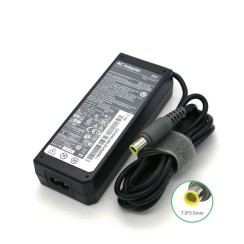
- Connector Type (Tip): Pay close attention to the shape and size of the connector. Brands like HP or Dell use 'smart pins' in the center, while others use barrel connectors of varying diameters or the modern USB-C.
If you no longer have the original portable power adapter , the next best option is to find the exact model of your laptop (printed on the bottom of the device) at a specialized store. Verifying this information is the best way to ensure a perfect purchase.
Using a universal laptop charger can be an emergency solution, but it's not the best long-term option and carries certain risks if you don't choose a very high-quality model. While its main advantage is versatility, thanks to multiple interchangeable tips, the disadvantages can be significant:
- Variable quality and safety: Many cheap models cut corners on internal safety components, such as protection against overloads, overheating, or short circuits. An original charger or a quality compatible one will always include these vital protections.
- Lack of 'communication' with the laptop: Brands like Dell and HP use a central pin in the connector so the laptop can identify the charger's power. Many universal chargers don't replicate this function, which can cause the laptop to refuse to charge the battery as a safety measure.
- Risk of incorrect voltage: Models that require manual voltage selection pose a risk. An error in this selection can irreversibly damage the motherboard of your computer charger.
In terms of price, a high-quality compatible laptop charger or a refurbished original charger usually costs about the same as a well-known universal charger, but with the significant advantage of being specifically designed for your device. Therefore, it will always be a safer and more reliable option , guaranteeing the performance and longevity of your investment.
This is a very interesting technical question, and also important for the health of your team. The rule is simple:
- Using a higher wattage charger (120W): Yes, it's perfectly safe . Your laptop is a smart device that only draws the power it needs. A 120W charger can supply *up to* 120W, but if your laptop only requires 90W, that's exactly what the charger will deliver. There's no risk of overloading or damaging your device. In fact, a more powerful charger will operate more efficiently, which can generate less heat and extend its lifespan.
- Using a lower wattage charger (65W): No, it's not recommended and should be avoided. When your laptop needs its full 90W (for example, when performing intensive tasks and charging the battery simultaneously), a 65W charger will be forced to work beyond its maximum capacity. This will cause the charger to overheat excessively , posing a safety risk and drastically shortening its lifespan. Furthermore, charging will be extremely slow, and in many cases, the battery could even continue to discharge while you're using the laptop charger , as the power consumption is greater than the energy supplied.
Therefore, when looking for a portable power adapter , always make sure that its power, measured in watts (W), is equal to or greater than that of the original charger .
Yes, it's completely normal for your laptop charger to get warm during use . The process of converting the alternating current (AC) from the wall outlet into the direct current (DC) your computer needs generates heat as a natural byproduct. This heat will be most noticeable when your laptop is performing intensive tasks and charging the battery simultaneously, as this is when the charger is working at its maximum capacity. The device is designed to dissipate this heat safely. However, you should be concerned if the heat becomes excessive. Warning signs that your laptop power cable is failing include:
- Burns to the touch: If the charger gets so hot that you can't keep your hand on it for more than a few seconds, it's a sign that something is wrong.
- Smell of burnt plastic: This is a critical indicator of overheating of internal components and you should unplug it immediately.
- Casing deformation: If you notice that the plastic softens, swells, or deforms due to heat, the charger is a risk and should be replaced.
- Electrical noises or buzzing sounds: A high-pitched buzzing or clicking noises coming from the charger may indicate an impending failure.
A charger that exhibits any of these symptoms has reached the end of its useful life and it is crucial to replace it to protect the integrity of your laptop and your own safety.
Related to Chargers
Reviews from our users
Top sellers Chargers