
 Back-to-School Offers
 Laptops
 Desktop computers
 Computer bundles
 Ordenadores All-in-One
 Monitors
 Refurbished mobile phones
 Tablets
 Zone Apple
 Peripherals and Accessories
 Networks and Cables











DisplayPort
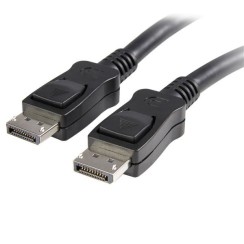
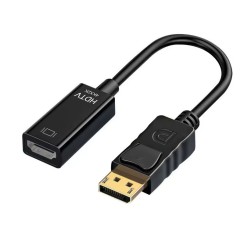
Explore our range of refurbished DisplayPort connectors , designed to elevate your viewing experience. With superior image and sound quality, they're perfect for gamers and professionals. Affordably priced and backed by a warranty, they're a sustainable upgrade for your setup. Don't get left behind—upgrade your connectivity with our refurbished technology!





Frequently asked questions
The DisplayPort cable is the undisputed king of PC gaming for several technical reasons that directly impact the gaming experience. If you have a high refresh rate monitor, DisplayPort isn't an option, it's a necessity.
- Higher bandwidth and refresh rates: A DisplayPort 1.4 cable offers significantly more bandwidth than HDMI 2.0. This allows it to handle very high resolutions at refresh rates that HDMI 2.0 cannot achieve. For example, it is the only connection that can standardly support 1440p (QHD) at 240Hz or 4K at 120Hz without compression.
- Native support for G-Sync and FreeSync: DisplayPort is the preferred standard for NVIDIA's (G-Sync) and AMD's (FreeSync) Adaptive Sync technologies. These technologies synchronize the frames sent by your graphics card with the monitor's refresh rate, completely eliminating annoying screen tearing and stuttering, resulting in an incredibly smooth gaming experience.
- Daisy Chaining: DisplayPort has a unique feature called Multi-Stream Transport (MST), which allows you to daisy-chain multiple monitors to a single DisplayPort output on your graphics card . This greatly simplifies cabling in multi-monitor setups.
No, and this is one of the points that causes the most confusion. It is crucial to understand that the conversion between these two signals is, in most cases, unidirectional .
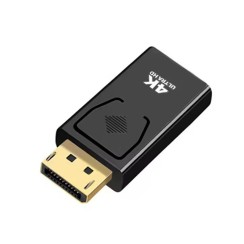
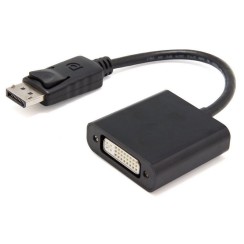
- DisplayPort Output (PC) to HDMI Input (TV/Monitor): This is the most common and simplest scenario. Most graphics cards with DisplayPort outputs incorporate a feature called 'DP++' (Dual-Mode). This allows them to detect when a passive HDMI adapter is connected and send a native HDMI signal through the DisplayPort port . In this case, a simple and inexpensive passive DisplayPort-to-HDMI adapter or cable is all you need.
- HDMI Output (Console/Laptop) to DisplayPort Input (Monitor): This scenario is much less common and more complex. An HDMI source cannot natively output a DisplayPort signal. Therefore, for this connection to work, you need an active adapter . This device is not a simple cable, but a small box containing a converter chip that actively transforms the HDMI signal into a DisplayPort signal . These active adapters are more expensive and often require external power via a USB cable.
Therefore, when buying a DisplayPort cable or adapter, it is vital to read the description and make sure that the signal direction ('source' to 'display') matches your setup to avoid buying a product that will not work for you.
The difference between a full-size DisplayPort connector and a Mini DisplayPort is purely physical and in size; the underlying technology is exactly the same .
- The full-size DisplayPort is a robust connector with a tab-locking mechanism that prevents accidental disconnections, very common in desktop graphics cards and PC monitors.
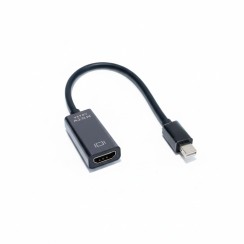
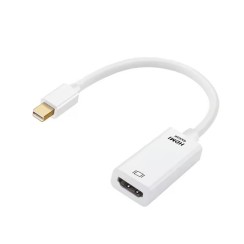
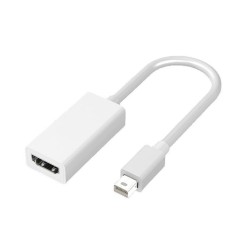
- The Mini DisplayPort was developed by Apple (and later adopted as a standard) for its MacBook and iMac laptops, as its much smaller size was ideal for thin devices. For years, Apple also used it for its Thunderbolt 1 and 2 interfaces, which shared the same physical connector. It is also commonly found on laptops from other brands (such as Microsoft Surface devices) and on some professional graphics cards.
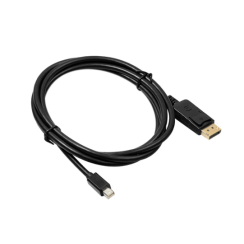
Since the signal they carry is identical, converting between them is very simple. You can use a cable with a Mini DisplayPort connector on one end and a standard DisplayPort connector on the other , or a simple passive adapter . There is no loss of quality or functionality when adapting from one format to another. The only thing that matters is the version of the standard that both devices support (for example, DP 1.2 or DP 1.4) to determine the maximum bandwidth and supported resolutions.
As with HDMI, the DisplayPort signal is digital, meaning it either arrives perfectly or not at all (manifesting as artifacts, flickering, or a black screen). There is no "better picture quality" from using a more expensive cable over standard distances (up to 2-3 meters). Marketing about "premium" cables with exotic materials is, for the most part, irrelevant to performance. What truly matters is VESA certification , which guarantees that the cable meets the specifications of a particular version of the standard.
- For most uses, including gaming at 1080p and 1440p at 144Hz, a certified DisplayPort 1.2 cable is sufficient.
- If you want to take advantage of 4K resolutions at high refresh rates, advanced HDR, or if you have a state-of-the-art monitor, you need a certified DisplayPort 1.4 cable .
An affordable cable with the correct VESA certification will give you the exact same performance as a premium cable costing five times as much. One problem to avoid is very low-quality, uncertified cables, especially older cables that may have pin 20 connected, which can cause boot problems on some systems. By buying from a specialist retailer, you ensure that the monitor cable you purchase meets quality standards without having to pay a premium for marketing promises.
Related
Reviews from our users
Top sellers DisplayPort