
 Laptops
 Desktop computers
 Ordenadores All-in-One
 Computer bundles
 Monitors
 Refurbished mobile phones
 Tablets
 Zone Apple
 Peripherals and Accessories
 Networks and Cables











Sell your laptop or desktop computer
Your laptop or desktop PC could have a second life. Tell us its specifications and condition to check a valuation.
Get my free computer valuationSell your laptop or desktop PC
Your laptop or desktop PC could have a second life. Tell us its specifications and condition to check a valuation.
Computer valuations are based on their specifications. Follow the questionnaire to describe your laptop or desktop. For a MacBook, use its dedicated page.
Check availability in the valuation tool. If you cannot find your configuration, use the contact link to ask us.
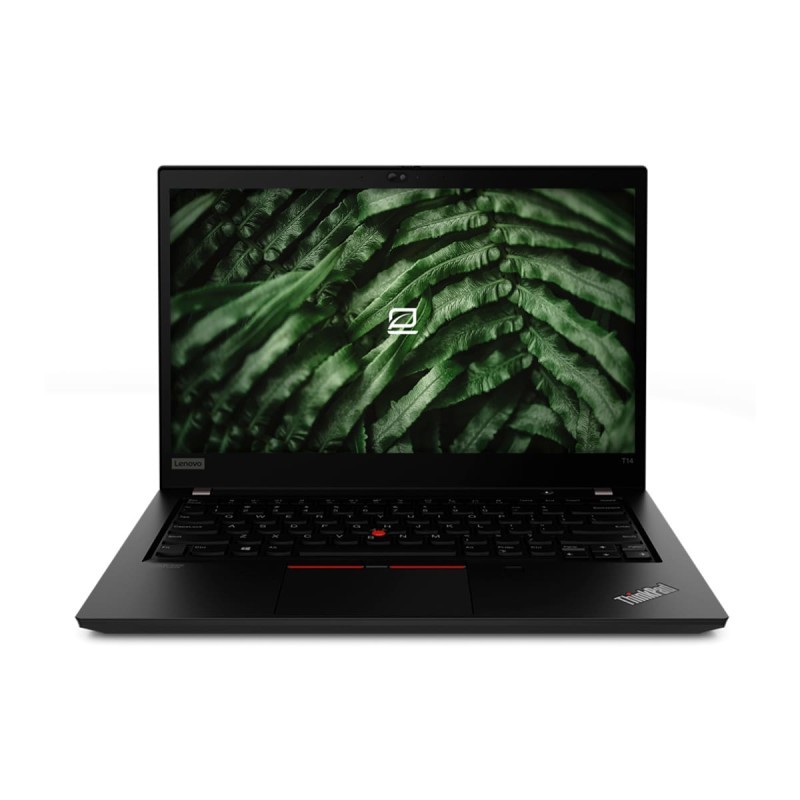
How much is my used computer worth?
The valuation depends on the configuration and your answers about its condition. Use the valuation tool to see the amount for your device. Different storage, functionality or condition can change the offer.
| What to check | Why it matters |
|---|---|
| Computer type and processor | Specify whether it is a laptop or desktop and select the appropriate processor. The processor family alone does not identify its generation or specifications. |
| RAM and storage | Check the RAM and drive capacity, plus the drive type if requested. If you upgraded the computer, describe its current configuration. |
| Functionality and appearance | Answer the questions about screen, keyboard, casing and functionality that apply to your computer. Specifications and condition are assessed together. |
Valuation based on the model and condition. Subject to inspection of the device.
How to sell your computer, step by step
Identify your device
Computer valuations are based on their specifications. Follow the questionnaire to describe your laptop or desktop. For a MacBook, use its dedicated page.
Tell us about its condition
Answer the questions about functionality, appearance and accessories for your model.
Check your valuation
Review the result and complete the request if you would like to continue. We will explain the next steps.
Prepare for handover
Follow the instructions we provide. We will check that the device matches your description.
Prepare your computer before selling
Check the system specifications
Open system information to check the processor and RAM, then check storage separately. Keep the manufacturer’s model number as a reference. For a MacBook, use its dedicated valuation tool to identify the Apple configuration.
Back up your files
Save documents, photos and other data to storage you will keep. Before handing over the computer, remove your accounts and erase the content following the manufacturer’s instructions. Check that no files still need to be recovered.
Prepare the computer and power supply
Gather the accessories listed in the questionnaire, including the charger where applicable. Protect delicate parts and prevent the computer from moving inside its packaging. Follow the delivery instructions for your request.
Your questions answered
Where can I find my computer's specifications?
Check your computer's system information and storage. Have the processor, RAM and drive capacity ready. If an option does not match, ask us before choosing a different one.
What if my model is not listed?
The valuation tool shows the available models and variants. You can ask us using the contact link in the process. Do not select a different model to get a valuation.
Is the online valuation final?
It is based on the information you provide. The device is inspected to check that its model, configuration and condition match your description.
Can I check the valuation without selling?
Yes. You can check the valuation and decide later whether to complete a buyback request.
Sell your laptop or desktop PC
Start with your model and answer the valuation questions.
Get my free computer valuation