
 Back-to-School Offers
 Laptops
 Desktop computers
 Computer bundles
 Ordenadores All-in-One
 Monitors
 Refurbished mobile phones
 Tablets
 Zone Apple
 Peripherals and Accessories
 Networks and Cables











Apple Batteries
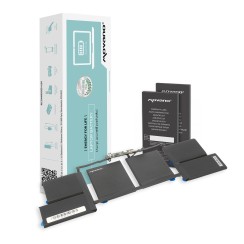
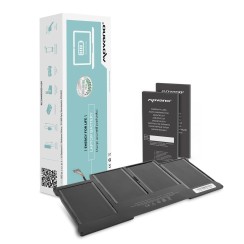
Replace your MacBook battery with our compatible batteries for MacBook Air, MacBook Pro (Retina and non-Retina) and MacBook 12" Retina. We cover the full Apple Intel 2008-2019 lineup: from MacBook Pro 13" A1278 (2009-2012) to MacBook Pro Retina A2159 (2019), including MacBook Air 11" and 13" (A1370, A1369, A1465, A1466, A1496) and MacBook Pro 15" (A1286, A1398, A1707, A1820). Every battery passes capacity, voltage and physical inspection before shipping, comes with warranty and ships within 24 hours. Identify the Axxxx code on the bottom of your MacBook or check "About This Mac" to choose the correct model.
Frequently asked questions
Determining the exact model is crucial for ensuring compatibility, and fortunately, Apple makes it relatively simple. You have two main methods and one definitive one. First, you can identify your MacBook through the operating system: go to the Apple menu () > 'About This Mac' . There you'll see the model and year of your computer (e.g., 'MacBook Pro (13-inch, 2017)'). This information will get you very close. For more precision, in that same window, click on 'System Report...' and then on the 'Power' section, where you'll often find the battery's model number. The second, very reliable method is to check the model number engraved on the bottom of your MacBook, which always begins with the letter 'A' followed by four numbers (e.g., A1502). The definitive way, if you're comfortable opening the computer, is to look at the part number printed on the battery itself (also a code like AXXXX). When buying a MacBook battery , whether for a MacBook Pro or a MacBook Air , using these identifiers will ensure that the replacement battery for your MacBook is the correct one, avoiding any incompatibility issues.
The number of charge cycles is the key indicator of a MacBook battery's health and actual wear level . A 'charge cycle' is completed each time you use 100% of the battery's capacity, but this doesn't necessarily have to happen all at once. For example, if you use 60% of the battery one day, recharge it to 100%, and then use 40% the next day, you've completed one cycle. Apple batteries are designed to retain up to 80% of their original capacity after a high number of cycles (generally around 1,000). Therefore, a low cycle count means the battery has seen little use and its battery life will be very close to that of a new one. Conversely, a cycle count close to 1,000 indicates the battery is nearing the end of its lifespan. When looking for a replacement MacBook battery , especially a refurbished one, it's crucial that it has been professionally tested to ensure its maximum remaining charge capacity is optimal . This is one of the big differences compared to buying a second-hand, uncertified battery, as it gives you the assurance that you are not acquiring a worn-out battery.
Although it requires more care than older laptops with removable batteries, changing a MacBook battery is entirely feasible for the average user with a little patience and the right tools. Unlike many PCs, MacBooks use special screws (Pentalobe for the casing and sometimes Torx for internal components), so you'll need a precision screwdriver set. The general process involves:
- Turn off your MacBook and unplug it from the power outlet.
- Remove the screws from the bottom cover to access the inside.
- Locate the battery and, very carefully, disconnect its connector from the logic board . This is the most delicate step.
- Remove the screws securing the battery to the chassis. In newer models, the battery is held in place with very strong adhesive strips that must be dissolved with isopropyl alcohol or removed using a specific technique to avoid damaging anything.
- Install the new battery, reconnect everything, and close the device.
While it might sound intimidating, there are countless video tutorials for each specific MacBook model that guide you step-by-step. With the right guidance and a patient approach, replacing your MacBook's battery is a very rewarding repair that will breathe new life into your computer.
Yes, and in a much more noticeable way than people realize. It's not a myth. macOS includes a performance management system that activates when the battery is severely degraded. An old battery with many charge cycles loses its ability to reliably deliver peak power, which could cause sudden shutdowns when the processor demands maximum power. To prevent this, macOS can limit the processor's maximum speed (a process known as 'throttling') to ensure system stability. The symptoms that this is happening are quite clear: the MacBook feels sluggish and lazy, applications take longer to open, you see the spinning beach ball more frequently, and overall performance is poor, even for simple tasks. By installing a new battery in your MacBook , it's able to supply all the power the processor needs again without risk. The operating system detects this and automatically disables the performance throttling. The result is that, in addition to regaining its original battery life, your MacBook recovers the speed and responsiveness it had when it was new . Therefore, changing the battery is not only a matter of mobility, but also one of the best ways to rejuvenate the performance of an older MacBook.
Related
Reviews from our users
Top sellers Apple Batteries