
 Laptops
 Desktop computers
 Ordenadores All-in-One
 Monitors
 Refurbished mobile phones
 Tablets
 Zone Apple
 Peripherals and Accessories
 Networks and Cables






Lenovo Batteries
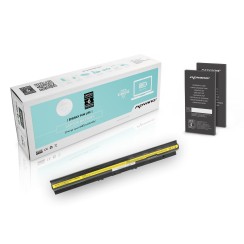
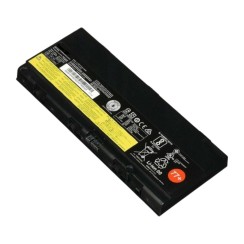
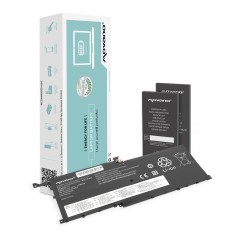
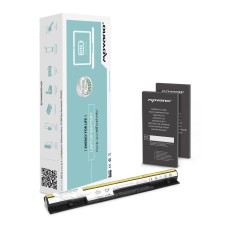
Replace your Lenovo laptop battery with our compatible and original batteries for ThinkPad, IdeaPad, Yoga and Essential. Over 125 references cover ThinkPad T-series (T410, T420, T430, T440, T450, T460, T470, T480, T530, T540), X-series (X200, X220, X230, X240, X250, X270, X280), L/R/W/P/E-series, IdeaPad G/Y/Z-series, Yoga 510 and Essential B/G-series. Every battery passes capacity, voltage and physical inspection before shipping, comes with up to 3 years of warranty and ships within 24 hours. Identify your model using the FRU code (45N1148, 0A36282, L19D4PDD) or the Machine Type Model on the bottom of the chassis.
Showing 34 products













Frequently asked questions
Finding a 100% compatible Lenovo laptop battery is easier than it seems, but it requires precision. The safest and most professional method is to search for the part by its specific part number, known in the Lenovo ecosystem as the FRU (Field Replaceable Unit) . To find this code, you have two options:
- Examine the original battery: This is the definitive method. Turn off and unplug your laptop. If the battery is external, remove it. If it's internal, you'll need to remove the bottom cover (usually held in place by a few screws). On the battery's label, you'll see the FRU code printed on it, a part number that guarantees perfect compatibility.
- Using Lenovo Vantage software: If you have this application installed on your computer, you can often go to the 'Device Health' section and in the battery details, it will show you the FRU part number without needing to open the laptop.
Searching by this FRU code is much more reliable than searching only by your laptop model (e.g., 'ThinkPad T480'), as sometimes there are different revisions of the same model that may use different batteries. By using the FRU to buy your Lenovo battery , you ensure that the Lenovo replacement battery you purchase will be the correct one the first time, avoiding any fit or connection problems.
Yes, absolutely, and it's a phenomenon many users are unaware of. It's not just a feeling; it's a technical fact. Modern laptops, especially professional models like the Lenovo ThinkPad , incorporate an intelligent power management system to protect components and ensure system stability. A severely degraded battery loses its ability to supply stable current spikes, which are necessary when the processor needs to perform at its best. To prevent sudden shutdowns that could corrupt your data, the operating system (in coordination with the laptop's firmware) can limit the processor's maximum speed (a process known as 'throttling') when it detects an unreliable battery. The symptoms are clear: the laptop feels sluggish, applications take longer to open, and overall performance suffers, even when plugged in. By installing a new Lenovo laptop battery , it's able to reliably supply full power again. The system detects this and removes the performance throttling. Therefore, changing the battery not only restores autonomy, but also restores the original speed and agility of your device , being one of the improvements with the greatest impact on overall performance.
The main difference between an original Lenovo battery and a high-quality compatible one lies in the manufacturer and the price, but not necessarily in performance or safety if you choose the right option.
- A genuine Lenovo (OEM) battery is manufactured by or for Lenovo , guaranteeing identical compatibility and quality to the one that came with your laptop. It uses cells and control circuits that fully meet Lenovo's standards. Its biggest drawback is the high price of a Lenovo battery , which can often be disproportionate for a laptop that's a few years old.
- A high-quality compatible battery is a much more affordable alternative. A good compatible battery manufacturer will use lithium-ion cells from reputable brands (such as LG, Samsung , or Panasonic) and, more importantly, will incorporate reliable protection circuits against overcharging, overheating, and short circuits. Its performance and runtime will be very similar to the original. The key is to avoid very low-cost generic options, which are the ones that usually cut corners on cell quality and safety features.
Choosing a compatible battery from a trusted supplier or a certified refurbished original battery is the smartest way to get reliable performance at a fair price, ensuring your Lenovo Yoga or ThinkPad battery comes back to life without an exorbitant investment.
Related to Lenovo Batteries
Reviews from our users
Top sellers Lenovo Batteries