
 Back-to-School Offers
 Laptops
 Desktop computers
 Computer bundles
 Ordenadores All-in-One
 Monitors
 Refurbished mobile phones
 Tablets
 Zone Apple
 Peripherals and Accessories
 Networks and Cables











USB HUB
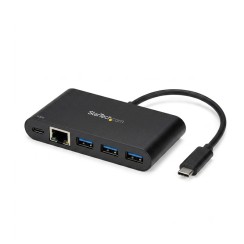
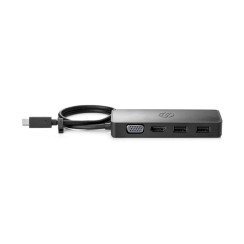
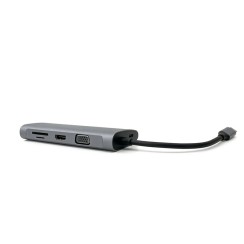
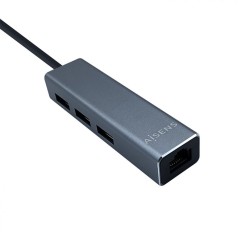
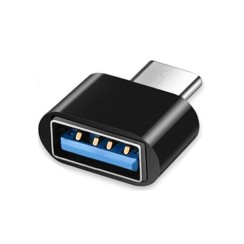
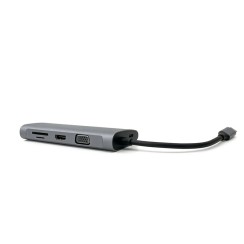
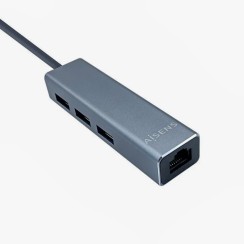
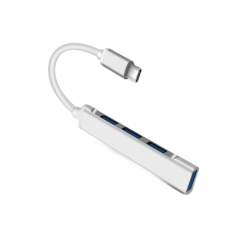
Discover refurbished USB hubs and USB-C hubs at Ecoportatil.es: expand the ports on your MacBook, Surface or Windows laptop with USB-A, USB-C, 4K HDMI, Gigabit Ethernet and SD reader in a single device. Models with USB 3.0, USB 3.1 and Thunderbolt 3 for fast and stable connectivity, with a 12-month warranty and fast shipping.





Frequently asked questions
This is the most important distinction when buying a USB Hub , as it determines what type of devices you can reliably connect.
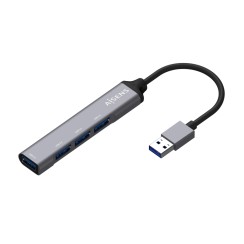
- A 'passive' USB hub (without external power) draws all its power from the USB port on your computer. This amount of power is limited (typically 500-900mA) and must be shared among all the devices connected to the hub. It's a perfect option for low-power devices , such as flash drives, keyboards, mice, or wireless receivers. They are smaller, more portable, and don't require an additional power outlet. However, if you try to connect devices that consume more power, such as external hard drives, high-definition webcams, or if you try to charge your mobile phone , they are very likely to malfunction or disconnect intermittently due to insufficient power.
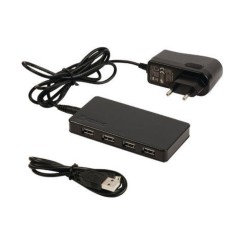
- A USB hub with external power , on the other hand, comes with its own power adapter that plugs into a wall outlet. This means it can supply the maximum power allowed by the USB standard to each of its ports simultaneously . It's the essential option if you plan to connect high-power devices. It ensures that each peripheral receives the stable power it needs to function smoothly. It's the right choice for creating a robust and reliable USB port station on your desktop.
For simple peripherals, a passive power supply is sufficient. For hard drives or charging devices, an externally powered power supply is required.
For almost any modern use, investing in a USB 3.0 hub is a much smarter and future-proof decision . The difference between the two standards is the data transfer speed, and it's enormous.
- A USB 2.0 hub has a theoretical maximum speed of 480 Mbps. This is suitable for peripherals that don't transfer much data, such as keyboards, mice, or printers. However, if you connect an external hard drive or a flash drive to a 2.0 hub, file transfers will be agonizingly slow.
- A USB 3.0 hub (often identified by the blue color of its ports) increases speeds to 5 Gbps, making it more than 10 times faster . This means that a file that would take minutes to transfer through a 2.0 hub will transfer in a matter of seconds with a 3.0.
Even if your computer only has USB 2.0 ports, a 3.0 hub is backward compatible and will work (at 2.0 speeds), but it also prepares you for when you upgrade your system. Since the price difference is minimal these days, there's practically no reason to buy a new USB 2.0 hub . A USB 3.0 hub will prevent a bottleneck and allow you to take full advantage of the speed of your external hard drives, flash drives, and other modern devices, making it a much more versatile and useful USB expander in the long run.
A USB-C hub is a type of USB port multiplier that connects to the USB-C port on your laptop, tablet, or even smartphone. Its versatility stems from the advanced capabilities of the USB-C standard itself, which can handle much more than just data. A good USB-C hub is not just a 'USB splitter,' but a mini docking station that can transform a single port into a complete connectivity center. Depending on the model, a USB-C laptop hub can offer:
- Multiple USB-A ports: To connect all your traditional peripherals (keyboards, mice, hard drives).
- HDMI or DisplayPort video output: Allowing you to connect an external monitor and create a dual-screen setup.
- SD and microSD card reader: Very useful for photographers and content creators.
- Ethernet network port: For a faster and more stable wired internet connection than Wi-Fi.
- Pass-through charging port: This is a key feature. It allows you to connect your laptop's original charger to the hub, and it will charge your device while you use all the other ports. This is essential for laptops that only have one or two USB-C ports.
Thanks to this multifunctionality, a USB-C Hub has become an essential accessory for users of modern, thin laptops, who often sacrifice port variety in favor of design.
Related
Reviews from our users
Top sellers USB HUB