
 Back-to-School Offers
 Laptops
 Desktop computers
 Computer bundles
 Ordenadores All-in-One
 Monitors
 Refurbished mobile phones
 Tablets
 Zone Apple
 Peripherals and Accessories
 Networks and Cables











Digital Pen
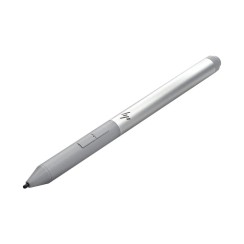
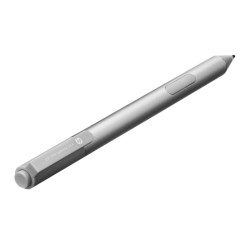
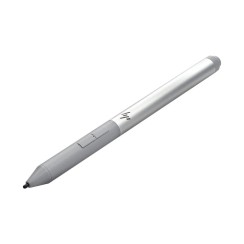
Discover our selection of digital pens and styluses for tablets, ideal for writing, drawing, or taking precise notes. Find your stylus compatible with iPad, Samsung Galaxy Tab, Microsoft Surface, Huawei and other brands, featuring pressure-sensitive tips and long battery life. Perfect for professionals, students, and artists seeking control and comfort with every stroke, at the best price.


Frequently asked questions
No, and this is the most important difference you need to understand before buying a digital pen . They are completely different technologies with different purposes.
- A passive tablet stylus (or capacitive stylus) is the most basic tool. It typically has a rubber or conductive mesh tip, and its sole function is to mimic the touch of your finger . It has no electronic components, requires no battery, and doesn't connect to the tablet. It's useful for browsing, playing simple games, or for people who prefer not to use their fingers, but it doesn't offer any advanced features. It's, quite literally, an extension of your finger.
- An active digital pen , also known as a stylus , is a sophisticated electronic device. It connects to the tablet (usually via Bluetooth) and contains a circuit that allows it to communicate intelligently with the screen. This connection enables all the advanced features that define the modern writing and drawing experience:
- Pressure sensitivity: Allows you to vary the thickness of the stroke according to the force with which you press.
- Tilt sensitivity: Allows you to shade by tilting the pencil, just like you would with a real pencil.
- Palm Rejection: Allows you to rest your hand on the screen while typing or drawing without accidental marks being generated.
- Quick access buttons: Many include customizable buttons for switching tools or deleting.
A pointer is for 'touching', while a digital tablet pen is for 'creating'.
Compatibility is undoubtedly the most crucial and often most confusing factor when buying a digital pen . There is no universal standard; major manufacturers use proprietary technologies that are incompatible with each other.
- The Apple Pencil uses Apple 's proprietary technology. It's important to know that there are different generations of Apple Pencil (1st, 2nd, and USB-C), and each is only compatible with specific iPad models . For example, a 2nd generation Apple Pencil will not work with an iPad designed for the 1st generation. It is absolutely essential to verify your exact iPad model before purchasing.
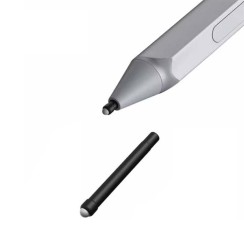
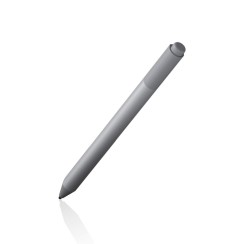
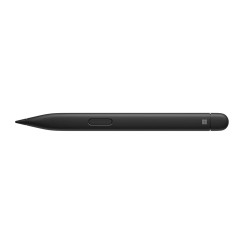
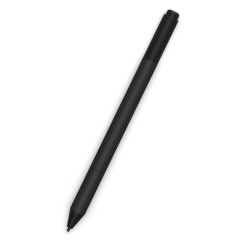
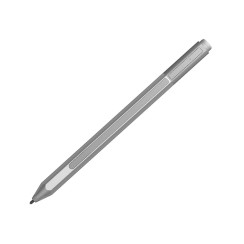
- The Microsoft Surface Pen uses the Microsoft Pen Protocol (MPP), which is also used by other brands of Windows laptops. As with Apple , Surface Pens are only compatible with the Surface line of devices and other computers that explicitly support the MPP protocol.
- Other brands like Samsung (with its S Pen, based on Wacom technology) use their own systems.
Due to this fragmented ecosystem, the golden rule before buying a digital stylus is: always check the stylus manufacturer's compatibility list . Both original styluses and quality third-party alternatives will always provide a detailed list of tablet models their product has been tested and guaranteed to work with. Ignoring this step is the most common mistake and the leading cause of returns.
These two features are what separate a simple pointer from a true creation tool , and they are essential if your goal is to use the stylus to draw on the tablet or to take notes naturally.
- Pressure sensitivity is the stylus 's ability to detect the force you apply to the screen. It works just like a real pencil or brush: light pressure produces a fine, delicate line; heavier pressure makes the line thicker and darker. This feature is measured in 'pressure levels' (from 1,024 to 8,192 or more). A higher number of levels allows for much more subtle and precise control over stroke variation, which is essential for digital illustration, calligraphy, or any kind of expressive drawing.
- Tilt sensitivity is the stylus's ability to detect the angle at which you hold it relative to the screen. Again, it mimics the behavior of a real pencil: if you hold it vertically, you draw with the tip; if you tilt it, you can use the side of the tip to apply broad, soft shading . This feature is essential for realistic shading techniques and for simulating the behavior of tools like charcoal or brushes.
The combination of these two technologies, along with palm rejection, is what allows a stylus pen to offer an incredibly natural and intuitive drawing and writing experience.
This is a decision that depends on the balance between your budget and your level of expectation. Both options have clear advantages and disadvantages.
- The original stylus ( Apple Pencil, Surface Pen, S Pen) guarantees seamless integration and peak performance . All features, such as pressure sensitivity, tilt detection, magnetic charging (on compatible models), and minimal latency, will work flawlessly. The build quality is typically superior, and they are the go-to tool for design and illustration professionals, for whom precision and reliability are non-negotiable. Their main drawback is their high price.
- An inexpensive third-party digital stylus can be a fantastic alternative with excellent value for money , especially for certain uses. They are an ideal option for students who will primarily use it for note-taking, for users who only need the writing functionality, and for amateur artists. Many quality compatible models already offer palm rejection and good accuracy. However, you should be aware of potential compromises: some may lack pressure or tilt sensitivity, latency may be slightly higher, and accuracy at the edges of the screen may not be perfect.
We can say that if you're a creative professional, investing in the original stylus is usually worthwhile. If your main use is note-taking or drawing as a hobby, buying a compatible digital stylus from a reputable brand is one of the smartest decisions you can make.
Related
Reviews from our users
Top sellers Digital Pen