
 Back-to-School Offers
 Laptops
 Desktop computers
 Computer bundles
 Ordenadores All-in-One
 Monitors
 Refurbished mobile phones
 Tablets
 Zone Apple
 Peripherals and Accessories
 Networks and Cables











All-in-One Computers
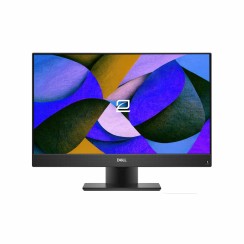
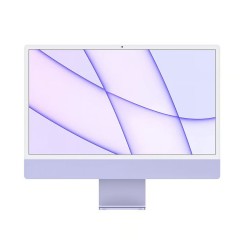
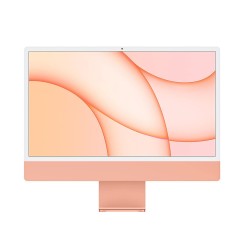
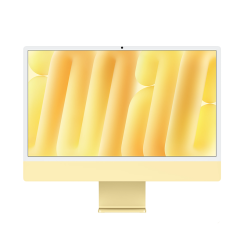
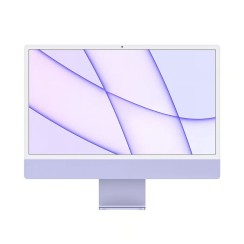
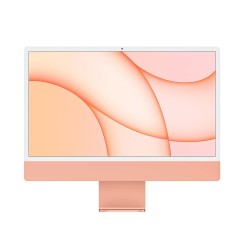
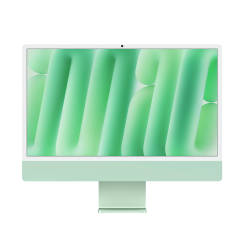
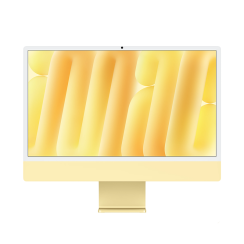
Discover our refurbished all-in-one computers . Enjoy the elegance and efficiency of an all-in-one PC that integrates monitor and CPU into a single design, ideal for optimizing your space. Find the perfect affordable all-in-one computer for your home or office among our selection of refurbished computers , combining style and functionality!
All-in-One: Compact power on offer
Choose a refurbished All-in-One and forget about towers and cables. Ready-to-use computers with warranty and great discounts.


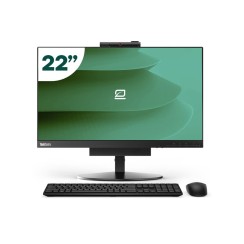
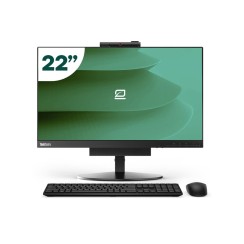
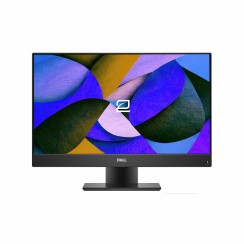
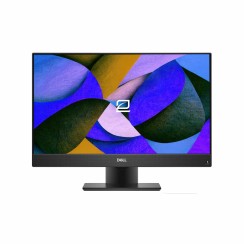
- New


- New
- New

- New
- New
- New
- New
- New

- New

- New




Frequently asked questions
The choice between an all-in-one computer and the traditional tower and monitor combination depends on your priorities, but all-in-ones offer some very clear advantages, especially in modern home and office environments. The most obvious and transformative advantage is space optimization and simplicity . By integrating all the components into the monitor chassis, you completely eliminate the need for a bulky tower, freeing up immense space on or under your desk. This results in a much cleaner, more minimalist, and organized workspace. The second major advantage is the drastic reduction in cabling . An all-in-one typically only needs a single power cable to operate, and with a wireless keyboard and mouse, you can achieve a virtually cable-free setup. This not only improves aesthetics but also makes cleaning and space management much easier. Finally, there's the ease of setup and use . You take the computer out of the box, plug in a cable, and it's ready to go. There's no need to worry about connecting multiple video, audio, and peripheral cables. While a tower offers more upgrade potential, for the vast majority of users looking for a powerful, elegant, and uncomplicated solution, an All-in-One PC is a superior option.
Yes, absolutely. It's a myth that all-in-one PCs are only for basic tasks. While entry-level models exist, many mid-range and high-end all-in-one PCs are equipped with very powerful hardware, perfectly capable of handling creative and professional workloads. For a computer with an integrated screen to be a good design tool, you should look at three key components:
- The processor (CPU): Look for models equipped with Intel Core i5 or i7 processors (or their AMD Ryzen equivalents). These processors have the multi-core power needed to smoothly run software like Adobe Photoshop, Illustrator, or Lightroom.
- RAM: 16 GB of RAM is the recommended amount to work comfortably with high-resolution images, multiple layers, and several programs open at the same time without the system slowing down.
- The screen: This is one of the biggest advantages of a good all-in-one PC. Many high-end models come with high-quality screens (often IPS) , with QHD (2560x1440) or even 4K resolutions, and excellent color calibration. This is crucial for any visual work, as it ensures that the colors you see on screen are accurate.
By buying a refurbished All-in-One , you can access these high-end models, which were originally very expensive, at a much more affordable price, making them a fantastic and stylish workstation for creatives.
The upgradeability of an all-in-one computer is more limited than that of a traditional desktop tower, but it's not nonexistent. Due to its compact and integrated design, components like the processor (CPU) and graphics card (GPU) are usually soldered to the motherboard and cannot be replaced. For this reason, it's very important to choose a model from the outset with the processing power you'll need in the medium and long term. However, the components that most often need upgrading over time— RAM and storage—are usually accessible and upgradeable in most models from well-known brands. Opening an all-in-one PC is generally a more delicate process than opening a tower, but it often allows you to:
- Expanding RAM: Most All-in-One PCs use SO-DIMM RAM modules (the same as laptops) and usually have two slots, allowing you to upgrade from 8GB to 16GB or more if your needs change.
- Changing or adding storage: It is very common to be able to replace the existing hard drive with an SSD (Solid State Drive) to give a massive boost to system speed, or to add a second drive if the design allows it.
Therefore, although you don't have the full flexibility of a tower, a good cheap All-in-One offers you the possibility of making the most important upgrades to extend its lifespan and keep it agile and functional for years.
This is a very common question, and the answer, in the vast majority of cases, is no, it's not possible . An all-in-one computer is designed as a closed, integrated system. The connection between the motherboard (where the video signal is generated) and the screen panel is internal and direct. Almost no modern all-in-one PC includes a 'video input' port (such as HDMI-IN or DisplayPort-IN) that would allow it to receive a signal from an external source and act as a simple monitor. The few models that historically offered this functionality (such as some older iMacs with 'Target Display Mode') are exceptions and are no longer manufactured with that capability. Therefore, you should buy an all-in-one PC assuming that its fantastic screen can only be used by the computer itself. If the ability to use the screen with other devices is a requirement for you, the best option would still be the classic combination of a mini PC or tower and a separate monitor. The all-in-one shines for its simplicity as a single, cohesive system, not for its modularity.
Yes — and with all-in-ones the difference matters even more than with a tower. Buying a second-hand all-in-one from a private seller means unknown component condition, and the screen — the most expensive part to repair — carries no warranty either. A refurbished all-in-one computer goes through a full technical check: panel (including touch, if fitted), processor, memory and storage are tested, the unit is deep-cleaned, anything below standard is replaced, and it ships with warranty and after-sales service. You pay a second-hand price for a cheap all-in-one that is certified. At Ecoportátil we refurbish HP, Dell and Lenovo machines as well as Apple iMacs.
Related
Reviews from our users
Top sellers All-in-One Computers
- New
Top Rated Products
- New
- New
- New
- New
- New
- New
- New
- New
- New