
 Back-to-School Offers
 Laptops
 Desktop computers
 Computer bundles
 Ordenadores All-in-One
 Monitors
 Refurbished mobile phones
 Tablets
 Zone Apple
 Peripherals and Accessories
 Networks and Cables











SSD drive
Upgrade your computer with our refurbished SSDs . We offer fast speeds and proven reliability for optimal performance. Experience lightning-fast boot times and instant application loading. Upgrade your technology without overspending and enjoy efficient storage that transforms your digital experience!



Frequently asked questions
Although both are solid-state drives and represent a giant leap in speed compared to a mechanical hard drive, the difference between a SATA SSD and an NVMe SSD is very significant. It's like comparing a sports car to a rocket.
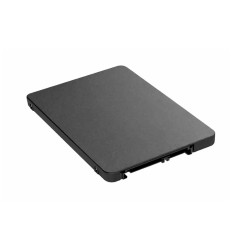
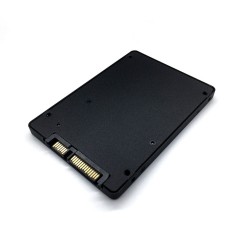
- SATA SSD: This type of drive uses the SATA interface, the same one used by traditional hard drives. Physically, most are 2.5 inches in size. The SATA interface has a theoretical speed limit of around 600 MB/s. In practice, a good SATA SSD will achieve read and write speeds of around 550 MB/s. This speed is already sufficient to dramatically improve the speed of any PC , reducing boot times from minutes to seconds and opening applications instantly. It is the most cost-effective upgrade for most computers.
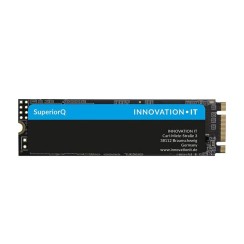
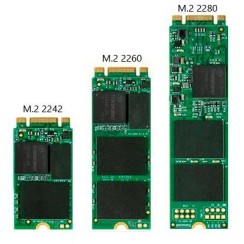
- NVMe M.2 SSD: This is the next level. It uses the M.2 connector and the NVMe protocol, which allows it to communicate directly with the processor via the PCI-Express bus, the same one used by high-performance graphics cards. This eliminates the SATA interface bottleneck and unleashes astonishing speeds. A mid-range NVMe SSD can reach speeds of 3,500 MB/s, and high-end models exceed 7,000 MB/s. That's more than 10 times faster than a SATA SSD !
If you're interested, you can read our article on the differences between NVMe and SSD . In everyday use, the difference when opening programs isn't that significant, but where an NVMe drive truly shines is in transferring very large files . If you're a video editor, 3D designer, or constantly work with large volumes of data, an NVMe SSD will save you an immense amount of time.
Choosing the right capacity when upgrading to an SSD in a single-bay laptop is crucial to avoid running out of storage space in the short term. While every user is different, we can offer some general recommendations to help you make the right choice:
- 256 GB: This is the bare minimum these days . This capacity is enough to install the operating system (which takes up about 30-40 GB), the office suite, the browser, and a handful of essential programs. You'll have space for your work or study documents, but you'll have to be very careful with the storage of large files like photos and videos, relying heavily on the cloud. It's a good option if you're looking for the lowest possible SSD price and your usage is light.
- 512 GB / 1 TB: This is the sweet spot and the most recommended capacity for most users . A 1 TB SSD (or 512 GB as a more economical option) gives you peace of mind knowing you won't have to worry about space. You'll be able to install a large number of programs, have a sizable game library, and store thousands of photos and videos directly on your laptop SSD without any issues. It provides a perfect balance between cost, capacity, and long-term performance.
- 2 TB or more: This capacity is aimed at professionals or enthusiasts . If you're a video editor working with 4K footage, a photographer with a huge catalog of RAW images, or a gamer who wants to have all the latest releases installed, a 2 TB SSD or larger will give you the space you need without compromise.
The 'lifespan' of a solid-state drive (SSD) is a topic that often raises questions, but the reality is that for 99% of users, it's not something they need to worry about at all. Unlike a mechanical hard drive, an SSD has no moving parts, but its NAND memory cells have a finite number of write cycles before they degrade. To measure this, manufacturers use a metric called TBW (Terabytes Written) , which indicates the total number of terabytes that can be written to the drive before the cells begin to fail. To put this in perspective, a mid-range 500GB SSD has a TBW of around 300 TBW. This means you would have to write 300 terabytes of data to it. A typical user writes, on average, between 10 and 35 GB per day. In the most extreme case (35 GB daily), to reach 300 TBW, you would need more than 23 years of continuous use . Even for a very heavy user writing 100 GB every day, the theoretical lifespan would exceed 8 years. Long before you reach that limit, you'll almost certainly have upgraded your computer for other reasons. Therefore, the durability of modern SSDs is exceptional, and their lifespan far surpasses the practical lifecycle of most PCs.
This is one of the steps that most intimidates users, but the process is simpler than it seems thanks to a technique called disk cloning . Cloning means creating an exact, bit-by-bit copy of your old hard drive on the new SSD . This way, when you install the new SSD, your computer will boot exactly as before, with your same Windows, all your installed programs, your files, and your settings, but with the new speed of the SSD. The general process is as follows:
- Connecting the new SSD: You will need an adapter or external enclosure to connect your new SSD to your computer via a USB port.
- Use cloning software: There are many excellent programs for this, some even free, such as Macrium Reflect Free or Clonezilla. Many SSD brands, like Samsung or Crucial, offer their own free migration software when you purchase their drives.
- Start the cloning process: The software will guide you step by step. Simply select your old disk as the 'source' and the new SSD as the 'destination' and let the program do the work. It's important to ensure that the amount of data on your old disk is less than the capacity of the new SSD.
- Physically replace the disk: Once the cloning is complete, turn off the computer, open the case (or the laptop lid) and replace the old hard drive with the new cloned SSD.
When you restart your system, it will boot from the SSD, and you'll enjoy incredible speed without losing a single bit of data. It's the cleanest and most efficient way to upgrade to an SSD .
Related
Reviews from our users
Top sellers SSD drive