 Back-to-School Offers
 Laptops
 Desktop computers
 Ordenadores All-in-One
 Computer bundles
 Monitors
 Refurbished mobile phones
 Tablets
 Zone Apple
 Peripherals and Accessories
 Networks and Cables












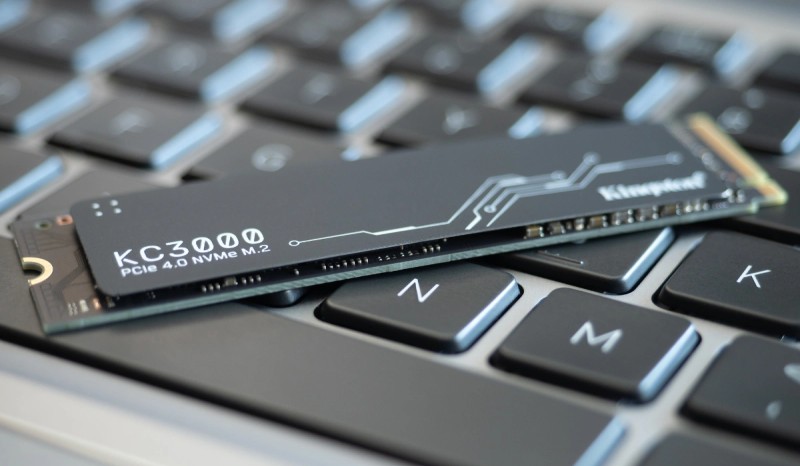
If you want to buy a new computer that offers maximum speed and the best performance, you should carefully consider the type of storage drive it includes. For years, SSDs have been the star upgrade, but technology is advancing, and a new standard has emerged that redefines speed: NVMe storage.
Traditional SSDs that connect via the SATA 3 port were a revolution compared to older mechanical hard drives. However, this technology has now reached the maximum potential offered by the SATA interface. This means that even if you buy a newer SATA SSD, the transfer speed will not increase, only the capacity.
It was precisely to break this barrier that NVMe SSDs were born, a technology that has completely revolutionized the world of computing. If you're wondering what the difference is between SSDs and NVMe and why it's so important, keep reading this post.
What are NVMe drives?
To understand the NVMe vs. SSD debate, you first need to know what each one is. An SSD (Solid State Drive) is a storage unit that uses flash memory. However, when we talk about an "SSD" on its own, we usually mean one that uses the SATA interface, the same as older mechanical hard drives.
What is the difference between an NVMe and an SSD?
In contrast, an NVMe (Non-Volatile Memory Express) drive is also an SSD, but it uses a much more advanced protocol and connection interface. Instead of using the slow SATA port, it connects directly to the motherboard's PCI Express (PCIe) bus, the same high-speed lane used by graphics cards.
The main differences are:
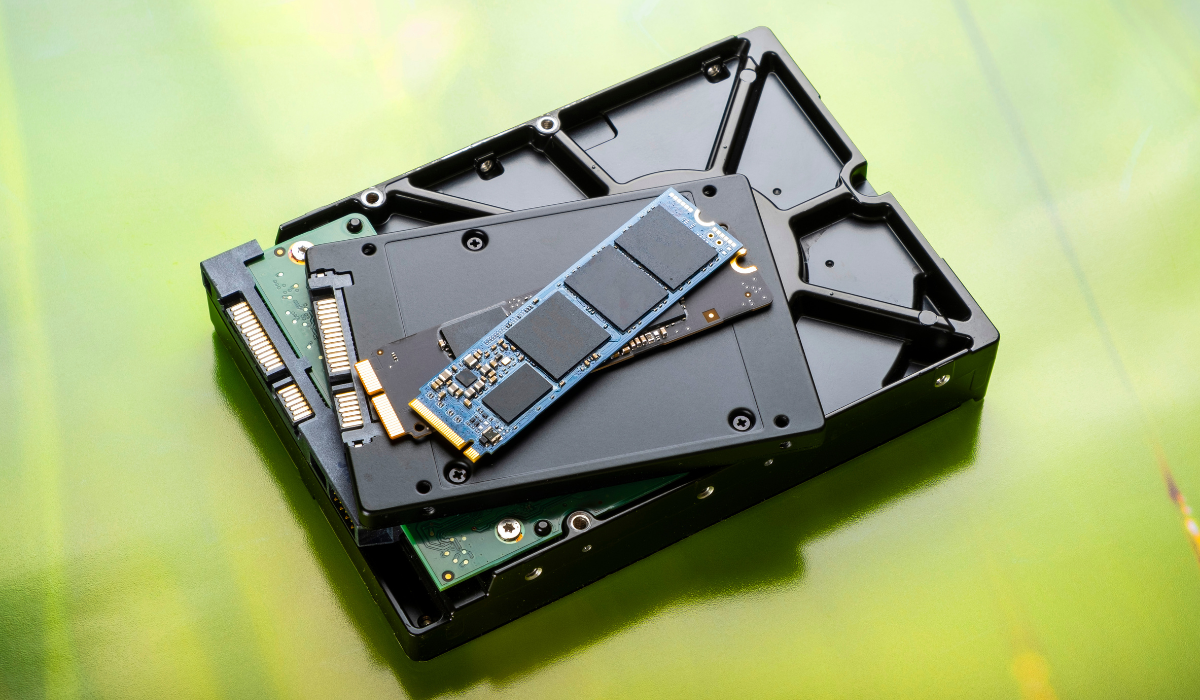
- Connection interface: A traditional SSD uses the SATA III port, which has a theoretical limit of 600 MB/s. An NVMe SSD uses the PCIe port, which in its most modern versions (PCIe 4.0 or 5.0) can reach speeds of more than 12,000 MB/s.
- Physical format: SATA SSDs are typically 2.5 inches in size, resembling a small rectangle. NVMe drives usually come in the M.2 form factor, which is much more compact and looks like a stick of chewing gum, connecting directly to the motherboard without any cables.
How do NVMe drives achieve such speed?
The magic of NVMe technology lies in its communication protocol, designed from the ground up for flash memory. While the SATA protocol was created with mechanical hard drives (HDDs) in mind, the NVMe protocol is optimized to take full advantage of SSD capabilities.
By utilizing PCI Express lanes, an NVMe drive has a much more direct connection to the system's processor (CPU) and RAM. This eliminates SATA port bottlenecks, drastically reduces latency (response time), and enables massive, parallel data flow.
In practice, this means that storage-dependent tasks are performed at astonishing speeds. The operating system boots in seconds, programs open instantly, and large files are copied in a fraction of the time it would take compared to a SATA SSD.
You might also like: Types of hard drives!
So, which is better — SSD or NVMe?
The short answer is clear: in terms of performance, an NVMe drive is far superior to a SATA SSD. A computer equipped with an NVMe drive offers a number of tangible advantages that dramatically improve the user experience.
1. Ultra-fast system boot times
While a SATA SSD already offers fast boot times, an NVMe drive takes it to the next level. The operating system, startup programs, and all drivers load almost instantly, letting you get to work or start gaming in a matter of seconds.
2. Maximum read and write speeds
The difference between an SSD and an NVMe drive is most apparent when moving files. An NVMe SSD can be between 3 and 20 times faster than a SATA SSD. Copying a 50 GB movie might take several minutes on a SATA SSD, while on an NVMe drive it can be completed in under 30 seconds. This is crucial for professionals who work with large volumes of data, such as video editors or photographers.
3. Fast video game loading
Modern video games are increasingly large and feature vast open worlds that require constant loading of textures and data. NVMe storage dramatically reduces loading times between screens and eliminates the stuttering caused by a slow drive, allowing you to enjoy a much smoother gaming experience.
4. Improved multitasking performance
Thanks to its extremely low latency, a system with NVMe feels more agile and responsive, especially when you have several demanding programs open at the same time. The system never gets bogged down waiting on the drive.
Things to check before buying an NVMe drive
While the advantages are clear, there is one fundamental requirement: compatibility. To install an NVMe drive, your computer must have an M.2 slot compatible with PCIe/NVMe. Most laptops and motherboards from the last 5–7 years include one, but it's important to verify this before purchasing.
Not all M.2 slots are the same. Some are only compatible with SATA M.2 SSDs, which offer the same speed as a 2.5-inch SSD. You need to make sure your slot specifically supports "PCIe" or "NVMe".
The NVMe protocol has become the present and future of high-performance storage. If you're looking for maximum speed and want your computer ready for the most demanding programs and games of the coming years, choosing a machine with an NVMe drive is the smartest decision. If your motherboard is compatible, be sure to explore our range of high-speed NVMe drives.
If you also want to upgrade your entire setup, visit our refurbished computers, where you'll find models with SSD and NVMe drives at the best price, combining sustainability, performance, and a solid warranty.