 Laptops
 Desktop computers
 Ordenadores All-in-One
 Computer bundles
 Monitors
 Refurbished mobile phones
 Tablets
 Zone Apple
 Peripherals and Accessories
 Networks and Cables












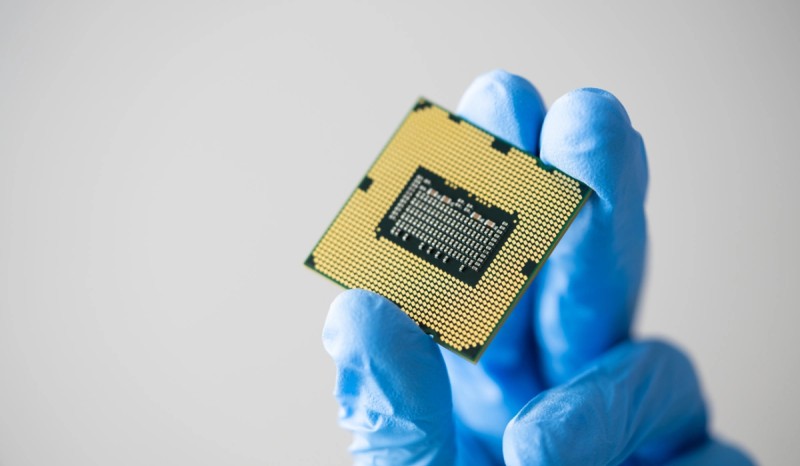
The processor (CPU) is the brain of any computer, the component responsible for executing all the commands, performing the calculations, and ultimately, making everything work. However, when looking for a new computer, you're faced with a sea of acronyms and numbers: Core i5, Ryzen 7, quad-core, GHz...
What does all this mean, and which one do you really need? Understanding the different types of processors is key to choosing the right computer. In this guide, we'll break down all the processor types in a simple and practical way, so you know exactly what to look for in your next PC or laptop.
What is a processor and what is its function?
Before classifying the types of computer processors, it's important to understand their role. The CPU (Central Processing Unit) is the main engine. Its job is to receive instructions from programs and the operating system, process them, and execute the corresponding actions. The speed and efficiency with which it performs these tasks (measured in gigahertz or GHz) largely determines the speed and responsiveness of the entire system.
A good computer processor will make everything feel smoother, from booting the system to opening applications or browsing the internet.
The main ways to classify processor types
To avoid getting lost in technical details, we can group computer processors into several categories that will help you understand their function and their place in the market.
1. By use and range (the most practical classification)
This is the most common and useful way to understand processors, as it classifies them according to the audience they are aimed at and their performance level.
- Entry-level processors (Intel Celeron, Pentium / AMD Athlon): These are the most basic and affordable processors. They are designed for simple tasks such as browsing the internet, using email, light office applications (Word, Excel), and watching videos. They are perfect for low-cost computers or Chromebooks.
- Mid-range (Intel Core i3, i5 / AMD Ryzen 3, 5): This is the sweet spot for the vast majority of users. They offer excellent performance for everyday multitasking, working with several programs simultaneously, occasional gaming, and slightly more demanding applications. For most, an i5 laptop is the most versatile and well-rounded option.
- High-end (Intel Core i7, i9 / AMD Ryzen 7, 9): Designed for enthusiasts, professional gamers, programmers, and content creators who need maximum power. They can easily handle demanding tasks such as 4K video editing, 3D rendering, or game streaming. If you need this level of performance, choose an Intel Core i7 laptop for more power.
- Servers and workstations (Intel Xeon / AMD EPYC): These are ultra-powerful processor models, designed for professional and business environments that require 24/7 reliability, enormous computing capacity, and multi-core management.
You might be interested in: Processors compatible with Windows 11!
2. By the number of cores and threads (the key to multitasking)
This is one of the most important technical specifications today for determining the performance of a processor.
- Cores: Imagine each core as a small, independent processor within the main chip. The more cores a CPU has, the more tasks it can perform simultaneously. That's why we see processors described as dual-core (2 cores), quad-core (4 cores), hexa-core (6 cores), or octa-core (8 cores) in specifications.
- Threads: These are like "lanes" of execution within each core. Technologies such as Hyper-Threading (from Intel) or SMT (from AMD) allow a single physical core to handle two processing threads simultaneously. This doesn't double the processing power, but it significantly improves the processor's efficiency when performing multiple tasks at the same time (multitasking).
For basic use, 2 or 4 cores are sufficient. For general use and gaming, 6 or 8 cores are the current standard.
3. By the task they perform (CPU vs. GPU)
Not all computer processors do the same job. The two main types of processors you should know about are:
- CPU (Central Processing Unit): This is the main brain, designed to be extremely versatile and execute a wide variety of tasks sequentially and quickly. It handles the operating system, programs, and general system logic.
- GPU (Graphics Processing Unit): This is a highly specialized processor designed to perform thousands of simple calculations simultaneously. It's the engine that renders graphics in video games, accelerates video editing, and is increasingly important for artificial intelligence tasks. It can be integrated into the CPU itself (integrated graphics) or be a separate, much more powerful component (dedicated graphics card).
4. By its architecture (the internal design)
This is the most technical classification and refers to the fundamental design of the processor and the instruction set it can execute.
- x86-64 (CISC): This is the dominant architecture in the world of Windows and Linux PCs. Both Intel processors and laptops with AMD Ryzen processors use this architecture, known for its high performance and backward compatibility.
- ARM (RISC): This architecture is designed to be much more energy efficient. It completely dominates the smartphone and tablet market. In recent years, it has gained enormous popularity in laptops thanks to Apple's M-series chips (M1, M2, M3), which have demonstrated that high performance can be achieved with very low battery consumption.
How to choose the right type of processor for you?
Now that you know the different types of processors available on the market, the final choice comes down to answering three key questions:
- What will your primary use be? Be honest with yourself. Is it just for browsing the internet and watching videos? An entry-level processor will suffice. Do you want to play the latest games or work with design software? You'll need at least a mid-to-high-end processor.
- What's your budget? The mid-range (Core i5 / Ryzen 5) usually offers the best performance-to-price ratio for most people. Only invest more if you're really going to benefit from the extra power.
- Is it balanced with the rest of the system? There's no point in having a high-end processor if you pair it with little RAM or a slow mechanical hard drive. A balanced system is key to a good experience.
Understanding what processors are empowers you to make a much more informed purchasing decision, ensuring you invest your money in the performance you truly need.