
 Laptops
 Desktop computers
 Ordenadores All-in-One
 Computer bundles
 Monitors
 Refurbished mobile phones
 Tablets
 Zone Apple
 Peripherals and Accessories
 Networks and Cables











Acer Batteries
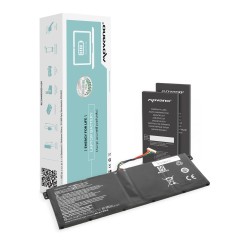
Discover our refurbished Acer batteries , perfect for revitalizing your device. We offer high-quality products, guaranteeing optimal and long-lasting performance. Each battery has been carefully inspected to ensure it works perfectly. Don't sacrifice quality for price; choose the best for your technology. Renew your Acer experience and enjoy the power you deserve!
Showing 1 product
Frequently asked questions
To ensure 100% compatibility when buying an Acer battery , the most reliable method is to search for the part by its specific model number or reference. This code guarantees that the size, voltage, and connector will be correct. You have two main ways to find it:
- Examining the original battery (Definitive Method): This is the safest way. Turn off and unplug your laptop. If the battery is external, remove it. If it's internal, you'll need to remove the bottom cover (usually with a precision screwdriver). On the battery's label, look for the 'Model Number', 'Part Number', or 'P/N' . This is usually an alphanumeric code that identifies the exact model (e.g., 'AS16A5K' or 'AP16M5J'). Write this code down for your search.
- Search by laptop model: If you cannot access the battery, you can search by the exact and complete model of your laptop, which you will find on a sticker on the base of the device (e.g., 'Acer Aspire 5 A515-51G').
While the second method is helpful, we strongly recommend using the first whenever possible. The reason is that sometimes the same laptop model can have different hardware revisions that use different batteries. By using the battery model number in your search, you ensure that the Acer replacement battery you purchase is the correct one the first time.
Absolutely, and it's a phenomenon that directly affects your computer's performance. It's not just a feeling; it's a system protection measure. Modern laptops, including your Acer Aspire , incorporate an intelligent power management system . A severely degraded battery loses its ability to supply stable current spikes, which are necessary when the processor needs to run at maximum speed. To prevent sudden shutdowns that could corrupt your data, the operating system (in coordination with the firmware) can limit the processor's maximum speed (a process known as 'throttling') when it detects that the battery is unreliable. The symptoms are clear: the laptop feels sluggish, applications take longer to open, and overall smoothness decreases, even when plugged in. By replacing your Acer laptop's battery with a new one, it's able to supply full power reliably once again. The system detects this and removes the performance limitation. Therefore, installing a new battery not only restores autonomy, but also restores the original speed and agility of your device , making it one of the most impactful improvements.
Both are excellent alternatives to the high price of a new Acer battery bought directly from the manufacturer, but they are based on different philosophies.
- An original Acer (OEM) battery is manufactured by or for Acer, guaranteeing compatibility and quality identical to the one that came with your laptop. It uses cells and control circuits that fully meet Acer's demanding safety and performance standards. Its main drawback is usually its high cost.
- A high-quality compatible battery is a much more affordable alternative. A good compatible battery manufacturer will use lithium-ion cells from reputable brands (such as LG, Samsung , or Panasonic) and, more importantly, will incorporate reliable protection circuits against overcharging, overheating, and short circuits. Its performance and battery life will be very similar to the original. The key is to avoid very low-cost generic options, which are the ones that usually cut corners on cell quality and safety features, putting your device at risk.
Choosing a compatible battery from a trusted supplier or a certified refurbished original battery is the smartest way to get reliable performance at a fair price, ensuring your laptop comes back to life without an exorbitant investment.
Although it requires more steps than older models with removable batteries, replacing the internal battery in most modern Acer laptops (such as those in the Aspire, Swift, or Nitro series) is a perfectly manageable task for the average user with a little patience and the right tools. The overall process is fairly standard, and you don't need to be an expert technician. The steps are usually:
- Preparation: Make sure the laptop is completely turned off and unplugged. It is recommended to work on a clean, anti-static surface.
- Open the case: Using a precision screwdriver (usually a Phillips type), remove all the screws from the bottom cover of the laptop. It's a good idea to organize them so you remember where each one goes.
- Disconnect the battery: Once the case is open, the battery will be a large and easily identifiable component. The first and most important thing is to carefully disconnect its connector from the motherboard to cut off all power.
- Removing the old battery: The battery is usually held in place by a few screws. Simply remove them and you can lift the old battery out.
- Install the new one: Place the new battery in its slot, screw it in, reconnect the connector to the motherboard, and replace the bottom cover.
There are countless guides and videos online for each specific model that will show you the process visually. It's one of the most rewarding repairs you can do, as the impact on your laptop's usability is enormous.
Related
Reviews from our users
Top sellers Acer Batteries