
 Back-to-School Offers
 Laptops
 Desktop computers
 Computer bundles
 Ordenadores All-in-One
 Monitors
 Refurbished mobile phones
 Tablets
 Zone Apple
 Peripherals and Accessories
 Networks and Cables











Laptop Keyboard Replacement
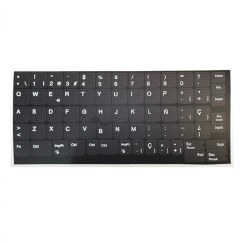
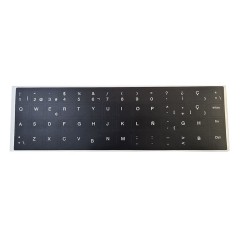
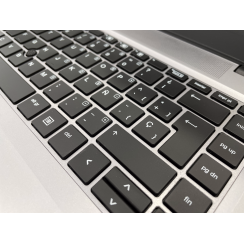
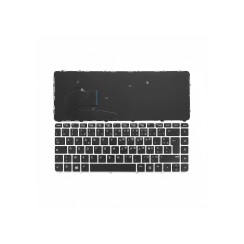
Discover our selection of refurbished laptop keyboard replacements , perfect for revitalizing your device. Each keyboard has been carefully inspected to ensure its quality and performance . Give your laptop a new lease on life with our reliable and affordable products. Don't let a damaged keyboard limit your productivity! Find the perfect replacement today.





Frequently asked questions
Compatibility is absolutely crucial when buying a laptop keyboard . The surest way to ensure you're getting the correct part is not just to search by your laptop model, but to identify the part number of your original keyboard. To do this:
- You will need to remove the old keyboard from your laptop . The process varies depending on the model: on some, it is released by sliding tabs at the top; on others, more modern ones, it may require removing the bottom cover and even disassembling other components to access it.
- Once removed, turn it over. On the back, you'll find one or more labels with barcodes. Look for a code identified as 'Part Number' (P/N), 'Model No.', 'FRU' (for Lenovo keyboards), or 'DP/N' (for Dell keyboards) .
- Use this exact alphanumeric code for your search. This number guarantees that the replacement keyboard you purchase will have the same size, key layout, screw mounting locations, and, most importantly, the same type and position of the flat (flex) connection cable .
Also, make sure you're buying a Spanish laptop keyboard (with the 'Ñ' and the correct symbol layout), unless you prefer a different layout. This is the only way to guarantee a smooth purchase.
This is a very important design distinction that affects the installation process.
- A frameless keyboard (bare keyboard) is, as the name suggests, just the keys and mechanism, without the surrounding plastic frame. This type of keyboard is usually integrated into the laptop's upper chassis (the 'palmrest') and is attached from below, often with small rivets made of melted plastic. Replacing this type of keyboard is a much more complex and laborious process . It requires almost completely disassembling the laptop, removing the motherboard and other components to access the keyboard from underneath, and then unriveting the old keyboard and attaching the new one.
- A keyboard with a frame is much easier to replace. The frame is the plastic piece that surrounds the keys. In these models, the keyboard is usually a removable unit from the top of the laptop. It's typically released by sliding small tabs located between the function keys and the screen, or by removing a couple of screws underneath. Once released, it's carefully lifted, the flex cable is disconnected, and the new keyboard is installed.
When looking for a replacement keyboard , it's vital to identify which of the two types your laptop uses. If you're unsure, searching for a disassembly tutorial for your model will clarify it instantly.
The answer is a very technical 'it depends,' but in many cases, yes, it's possible, provided your motherboard is compatible . Backlit keyboards require an additional power connection.
- In addition to the keyboard's main flat data cable, a backlit keyboard has a second, much smaller flex cable that supplies power to the LEDs.
- For the upgrade to be possible, your motherboard must have the corresponding connector for this second backlight cable .
The safest way is to remove your current keyboard and examine the motherboard where the keyboard cable connects. If you see a small, unused connector near the main keyboard connector , it's very likely your computer is ready for a backlit keyboard. Many manufacturers use the same motherboard for different versions of the same laptop model (some with backlighting and some without) to save on production costs. If you find this connector, you can buy a backlit laptop keyboard and enjoy this fantastic upgrade, which makes working in low-light conditions much easier. If this second connector isn't there, then the upgrade won't be possible.
The difficulty of changing a laptop keyboard varies greatly depending on the design of the device, ranging from 'extremely easy' to 'very complex'.
- Easy (Keyboards with frame and top access): On many older business laptop models (such as some HP or Lenovo ThinkPad keyboards ), the keyboard is a modular piece that can be removed from the top. The process can be as simple as removing a couple of screws from the base, sliding a few tabs on top of the keyboard, lifting it up, disconnecting the flex cable, and connecting the new one. This operation can take less than 15 minutes .
- Difficult (Keyboards integrated into the palm rest): In most modern ultrabooks and laptops, to save space and achieve a more unibody design, the keyboard is integrated into the top plastic or aluminum casing (palm rest). To replace it, you need to completely disassemble the laptop : remove the bottom cover, battery, motherboard, fans, etc., until only the top casing with the keyboard remains. Then, the old keyboard is secured with dozens of small plastic rivets that must be cut, and the new one is attached with screws. This is a laborious process that can take several hours and requires a lot of patience and organization.
Before purchasing the replacement part, we strongly recommend that you search for a video disassembly tutorial for your specific model on YouTube . This will give you a clear idea of the difficulty of the process and help you decide if you feel comfortable doing it yourself.
Related
Reviews from our users
Top sellers Laptop Keyboard Replacement