
 Laptops
 Desktop computers
 Ordenadores All-in-One
 Computer bundles
 Monitors
 Refurbished mobile phones
 Tablets
 Zone Apple
 Peripherals and Accessories
 Networks and Cables











Dell Chargers
Find the genuine Dell charger your laptop needs. We offer a wide selection of refurbished and compatible Dell chargers , ensuring reliable and safe power for your device. From 65W Dell chargers to 130W Dell adapters , restore your Dell laptop's battery life with quality and a guarantee.

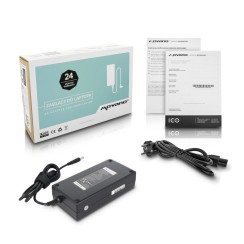


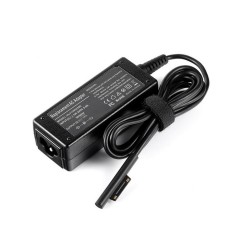


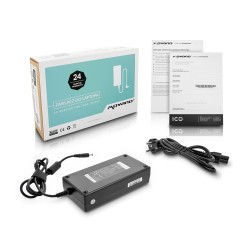
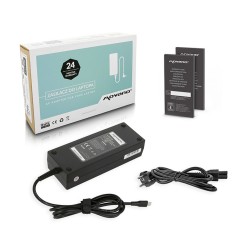
Frequently asked questions
To ensure 100% compatibility when buying a Dell charger , the most reliable method is not to search by laptop model, but by the specifications of the original charger. Turn your old charger over and look for the label with its specifications. You should pay attention to three crucial pieces of information:
- Output Voltage, measured in Volts (V): The new charger must have exactly the same voltage as the original (for example, 19.5V, which is very common in Dell ).
- Output Amperage, measured in Amperes (A): The new charger must have an amperage equal to or greater than the original. A higher amperage will not damage the device, as the laptop will only draw the current it needs.
- The Part Number (DP/N): This is the most important piece of information. It's a unique alphanumeric code (e.g., 01XRN1) that identifies the exact charger model. Searching by this code is the only way to guarantee that the connector and specifications will be correct.
If you no longer have the original charger, the next best option is to search for the exact model of your Dell laptop charger , which you'll find on a sticker on the bottom of the device. Verifying this information is the best way to ensure you purchase the perfect charger for your Dell Latitude or Dell XPS .
Dell 's famous pin-tip charger ( 4.5mm or 7.4mm connector) is much more than just a plug. Its distinguishing feature is the center pin, which acts as a data communication channel between the charger and the laptop. This 'smart pin' doesn't supply power itself, but rather tells the laptop the identity and exact power (in watts) that the Dell power adapter is capable of delivering . Thanks to this communication, the Dell laptop can verify if the charger is compatible and genuine (or a high-quality compatible one). If this pin is damaged, or if you use a low-quality generic charger that lacks this technology, several problems can occur:
- The laptop may display a warning message upon startup, indicating that an unrecognized or suboptimal power adapter has been detected.
- The system may completely refuse to charge the battery as a protective measure, even if the laptop remains powered on.
- Processor performance may be limited ('throttling') to reduce power consumption.
Therefore, when replacing your Dell laptop charger , it's vital to ensure the new model is high-quality and retains the smart pin functionality. This guarantees safe and efficient charging and protects your battery's long-term health.
Both are excellent alternatives to the high price of a new Dell charger , but they are based on different philosophies.
- A refurbished Dell original charger is a charger that was manufactured by Dell , has been previously used, and has undergone a professional inspection and certification process. Its main advantage is the quality of the original hardware . You're getting the same internal components, the same protection circuitry, and the same quality engineering that Dell designed for its equipment, ensuring perfect compatibility and safety. It undergoes stress testing to ensure it continues to function like new. It's the ideal choice for those who prioritize maximum reliability from the original manufacturer at a reduced cost.
- A new compatible charger is manufactured by a third-party company. A high-quality model is designed to replicate or even exceed the specifications of the original. It will use good materials and, most importantly, include all the necessary protection circuitry. Its advantage is that it is a brand-new product, never before used.
The choice between the two often comes down to personal preference. A refurbished charger gives you the peace of mind of original engineering, while a quality compatible charger offers the assurance of a brand-new product. In both cases, they are vastly superior options to a generic, unbranded charger, which is the one that truly puts your laptop at risk.
This is a very important technical question for the health of your device and battery. The rule is simple:
- Using a higher wattage charger (130W): Yes, it's perfectly safe and, in some cases, even beneficial. A laptop is a 'smart' device that only 'requests' the power it needs. A 130W charger can supply *up to* 130W, but if your laptop only requires 90W, that's exactly what the charger will deliver. There's no risk of 'overcharging' or damaging the device. In fact, a more powerful charger will operate more efficiently, which can generate less heat and extend its own lifespan.
- Using a lower wattage charger (65W): No, it's not recommended and should be avoided. When your laptop needs its full 90W (for example, when performing intensive tasks and charging the battery simultaneously), a 65W charger will be forced to work beyond its maximum capacity. This will cause the charger to overheat excessively , posing a safety risk and drastically shortening its lifespan. Furthermore, charging will be extremely slow, and in many cases, the battery could even continue to discharge while you're using the laptop, as the power consumption will exceed the energy input.
Therefore, when looking for a Dell laptop charger , always make sure that its power is equal to or greater than that of the original charger .
Related
Reviews from our users
Top sellers Dell Chargers