
Laptops for Graphic Design
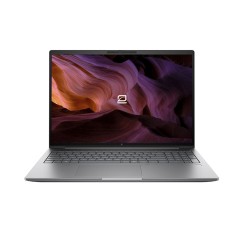
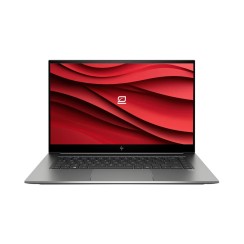
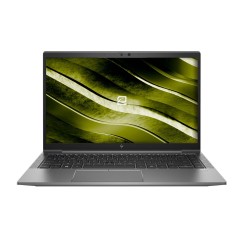
Discover the most powerful and precise refurbished laptops for graphic design . These machines feature high-resolution screens, advanced processors, and dedicated graphics cards, making them ideal for working with Photoshop, Illustrator, or 3D modeling, all at the best price.
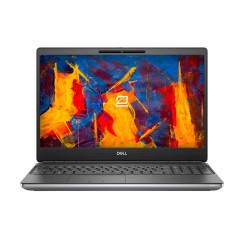
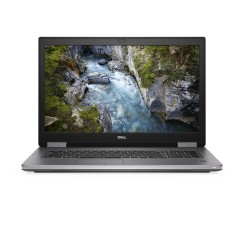
Dell Precision 7750 17.3" i7 10750H, 32GB, SSD 512GB, FHD, NVIDIA Quadro T1000 4GB, A+
Frequently asked questions
The screen is undoubtedly the most important component of a laptop for graphic design , as it's your window to your work. It's not just about it looking good, but about it being accurate. There are four key elements that define a professional-quality screen:
- Color Accuracy and Gamut: This is the most crucial feature. The screen must be able to accurately reproduce as many colors as possible. Look for screens that offer close to 100% coverage of the sRGB and Adobe RGB color spaces (the latter being wider and preferred for printing). High coverage ensures that the colors you see on screen are what you'll get in the final output, avoiding unpleasant surprises.
- Resolution: Higher resolution gives you more workspace and a much sharper image. Full HD (1920x1080) is the absolute minimum , but for serious design work, a QHD (2560x1440) resolution or, ideally, a 4K (3840x2160) display is highly recommended. This allows you to view your designs in incredible detail and work on high-resolution images without having to zoom in as much.
- Panel Type: Always opt for panels with IPS (In-Plane Switching) or OLED technology. Both offer excellent viewing angles (the color doesn't change if you look at the screen from the side) and color reproduction far superior to cheaper TN panels.
- Brightness and Calibration: A good brightness level (measured in nits) is important for working in different lighting environments. Furthermore, the ability to calibrate the screen with an external colorimeter is a professional feature that ensures maximum accuracy.
For a laptop used for video editing , the answer is that both are crucial, but they serve different and complementary functions throughout the workflow. You can't prioritize one over the other; you need a good balance.
- The processor (CPU) is the brain of the operation. It's responsible for most editing tasks: timeline playback, file management, applying basic effects, and, most importantly, the final video encoding (exporting) . A CPU with a high core count and a high clock speed (such as an Intel Core i7/i9 or an AMD Ryzen 7/9) will drastically reduce export times and make the overall editing software experience smoother.
- The Graphics Processing Unit (GPU) , on the other hand, is the specialist in visual tasks. Its main role is to accelerate the playback of complex effects in real time, color correction, transitions, and the smooth playback of high-resolution footage (4K/8K) without stuttering. Programs like Adobe Premiere Pro or DaVinci Resolve make intensive use of the GPU to make the timeline much smoother and more responsive.
A good CPU ensures the program runs smoothly and exports quickly, while a good GPU ensures you can work on the timeline smoothly and without interruptions. A good professional laptop for design and video needs a powerful balance of both.
For a laptop used for architecture or any type of 3D modeling and rendering work (using software such as AutoCAD, Revit, Blender, or 3ds Max), RAM and storage are not secondary components; they are absolutely critical for a frustration-free workflow.
- RAM: 3D scenes, especially those with many high-resolution textures, complex geometries, and lighting elements, consume a massive amount of RAM. 16 GB of RAM is the absolute minimum to start with , but if you're working on medium or large projects, 32 GB is the recommended amount for smooth operation . With 16 GB, you're very likely to encounter slowdowns when manipulating complex models or experience crashes during rendering. 32 GB will give you the necessary buffer for the software to run smoothly.
- Storage: Speed is key. A high-speed NVMe SSD is essential . The operating system, design software, and project files will load infinitely faster. But in addition to the main drive, a very common and recommended strategy for a portable workstation is to have a dual-drive configuration:
- A fast NVMe SSD (512GB or 1TB) for the operating system, applications, and the project you're actively working on.
- A second disk (it can be a larger and cheaper SATA SSD) to store asset libraries, textures and finished projects.
This combination of ample RAM and fast, well-organized storage is the foundation of a powerful design laptop that won't let you down in the middle of an important project.
Buying a refurbished professional-grade laptop for designers (from lines like Dell Precision, HP ZBook, or Lenovo ThinkPad P Series) is one of the smartest decisions a creative can make for several reasons that go beyond simply saving money.
- Access to Elite Hardware at an Affordable Price: These new portable workstations are prohibitively expensive for many. A refurbished model gives you access to high-end processors (Core i7/i9, Xeon), professional graphics cards (NVIDIA Quadro), and above all, displays with exceptional color quality and resolution not typically found in consumer laptops—all for the price of a new mid-range laptop.
- Reliability and Durability: They are built to be mission-critical work tools. They feature more robust chassis, superior cooling systems designed to withstand long rendering sessions without overheating, and higher-quality components that guarantee a much longer lifespan.
- ISV Certifications: The professional graphics cards in these workstations are certified by independent software vendors (ISVs) such as Autodesk and Adobe. This ensures optimal stability and performance in the applications you use daily , minimizing the possibility of crashes or graphical errors that are more common with gaming graphics cards (like GeForce).
In short, a professional-grade refurbished product gives you access to a more powerful, more reliable, and better-optimized work tool for your applications, maximizing every euro of your investment.
Related
Reviews from our users
Top sellers Laptops for Graphic Design