
 Laptops
 Desktop computers
 Ordenadores All-in-One
 Computer bundles
 Monitors
 Refurbished mobile phones
 Tablets
 Zone Apple
 Peripherals and Accessories
 Networks and Cables






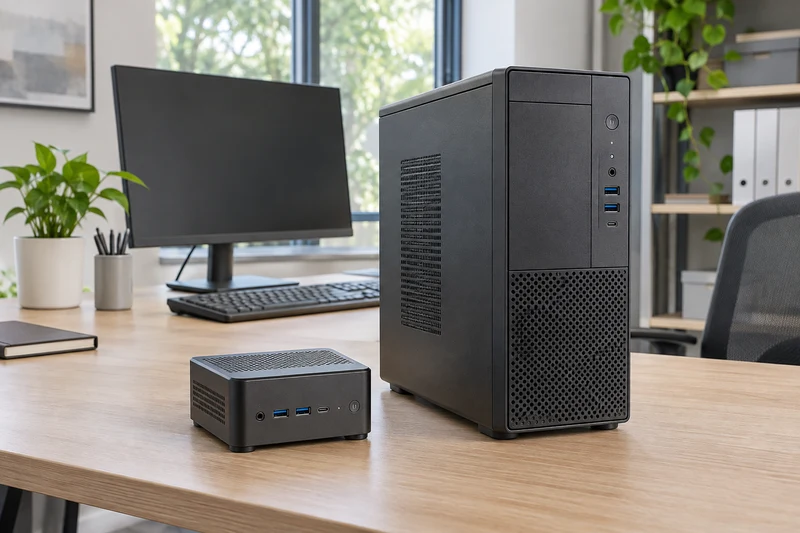
A mini PC is also a desktop computer. The useful choice is between a very compact PC, a small form factor (SFF) desktop and a tower. Start with the workstation: its software, displays and likely future requirements.
A refurbished mini PC can suit a small desk. If you need internal cards or additional storage drives, consider an SFF PC or tower. Size alone does not tell you which computer will be faster or quieter.
Three formats, different priorities
| Requirement | Mini PC | SFF | Tower |
|---|---|---|---|
| Save space | A starting point; include the external power supply | A middle ground; check dimensions | Needs more space and an accessible location |
| Upgrade RAM or SSD | Depends on the model, slots and installed parts | Check available slots and drive bays | Still check the board, bays and connections |
| Add an internal card | Do not assume a suitable slot exists | Check card height, length and power limits | May offer more room; verify compatibility |
| Connect multiple displays | Check outputs and supported combinations | The same checks apply | The same checks apply |
| Access for maintenance | Avoid mounting that makes removal difficult | Leave room to open the case | Leave room to open and move it |
Use this table to shortlist formats, then check the exact model. Ports, processors and upgrade options can vary within the same product family.
Choose around software and displays
For email, documents, browsing and business applications, compare the full processor model, installed RAM and SSD. Two listings saying “Core i5” are not enough: record the model and generation. For large spreadsheets, many open applications or simultaneous video calls, check the configuration against your software requirements.
Design, CAD, video editing and virtual machines need a specific CPU, memory and graphics assessment. Do not choose a tower just because it is bigger, or a mini PC just because it is compact.
Count peripherals too: displays, webcam, headset, keyboard, mouse, printer and card reader. Check spare ports and whether you need Ethernet or Wi-Fi. For displays, confirm resolution, refresh rate and simultaneous operation; two connectors do not guarantee every combination.
Measure the whole workstation
Record available space, cable routes and access to the power button. Mounting a mini PC behind a monitor can free desk space, but needs a compatible bracket and clear ventilation. Lenovo's Tiny VESA mount is an example of a dedicated accessory: brackets are not universally compatible.
Allow room for an external power supply where applicable, and access to unplug cables. Do not enclose any format in an unventilated compartment. Size is not a reliable basis for estimating power consumption or noise; request comparable data for the specific model.
Check what you can actually upgrade
Separate maximum capacity, installed capacity and free slots. Both memory slots may already be occupied, so an upgrade could require replacement modules. For storage, check drive format, interface, connectors, brackets and screws.
Read the service manual before buying components. The OptiPlex 5060 Micro manual, for example, covers memory and storage access: “mini” does not automatically mean everything is soldered. Its options should not be assumed to apply to other models.
For an internal graphics or network card, verify the slot, dimensions, power supply and manufacturer compatibility. A bigger case does not accept every card.
Include maintenance in the purchase decision
Ask for the exact model, supplied configuration, power adapter where needed and included accessories. Confirm the operating system and compatibility with your business applications. For a refurbished PC, review the stated condition and current offer terms.
When replacing several workstations, consider consistent configurations and easy access for cleaning or component replacement. Follow the manufacturer's instructions for internal work. Maintenance access depends on both the chassis and where you install it.
Which models we recommend comparing
To turn these criteria into a shortlist, here are three options from our catalogue worth comparing for different workstations:
- HP ProDesk 400 G5 Mini — i7-9700T, 16 GB RAM and 512 GB SSD. We would choose it for a small desk where documents and files are also stored locally. It combines a mini format with more storage than the Dell in this selection.
- Dell OptiPlex 3080 Micro — i5-10400T, 16 GB RAM and 256 GB SSD. An option we recommend considering for administration, email and business applications when 256 GB meets the workstation's storage needs, for example when most documents are on a server or in the cloud.
- Lenovo ThinkCentre M70s SFF — i5-10505, 16 GB RAM and 512 GB SSD. We would shortlist it if you prefer an SFF desktop to a mini PC. If the aim is to add an internal card, first confirm the slot, space and power required by that card.
These recommendations are based on the listed format and configuration, not comparative performance testing. Check availability, condition, connections and included accessories on each product page. ProDesk, OptiPlex and ThinkCentre include different generations and formats; the family name alone is not enough. If an item sells out, look for an equivalent configuration in the categories linked below.
A practical choice for each workstation
- Reception or a small desk: compare mini PCs first, checking ports, displays and mounting.
- A workstation needing an internal card: compare SFF PCs and towers, verifying the actual card before purchase.
- Demanding work or planned upgrades: define CPU, RAM, graphics and storage first, then choose a suitable format.
Create a checklist of software, displays, ports, configuration, planned upgrades and total cost including accessories. Use it to compare office computers and other desktop computers. For a multi-user purchase, our guide to planning a batch of business computers helps organise requirements before requesting a quote.