
 Laptops
 Desktop computers
 Ordenadores All-in-One
 Computer bundles
 Monitors
 Refurbished mobile phones
 Tablets
 Zone Apple
 Peripherals and Accessories
 Networks and Cables












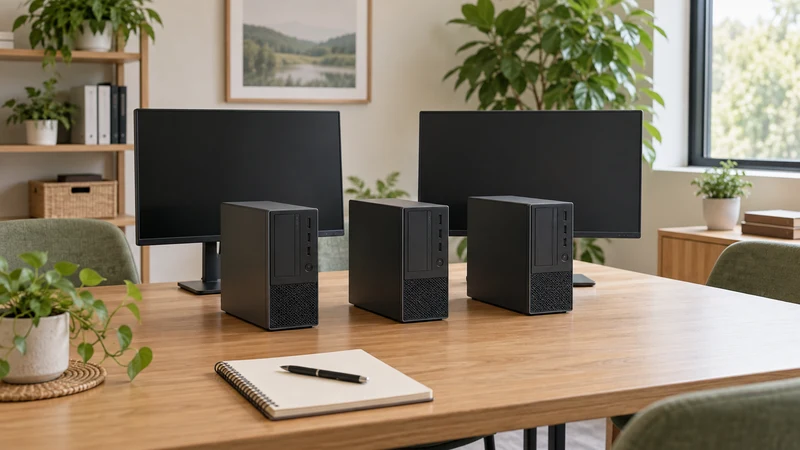
Buying several computers starts with defining what each workstation needs. Asking only for “ten i5 PCs” can produce quotes with very different processor generations, memory, connections and accessories. The same marketing label does not mean they will do the same job.
Before comparing computer bundles, prepare a requirements sheet and send the same one to each supplier. That helps compare the complete setup you will deploy, rather than just the price of a tower.
Group workstations by their tasks
List the applications and peripherals used by each type of user. Administration, customer service and design may need different configurations. Record how many tools run simultaneously and whether work happens in a browser, local software or a remote session.
Note which existing computers work well and where limitations appear. If a particular spreadsheet is slow, describe its size and the operation causing delays. A concrete need is more useful than asking for something “very fast”.
| Profile | Information to gather |
|---|---|
| Administration | Applications, document sizes and number of screens |
| Customer service | Telephony, headphones, camera and required connections |
| Shared workstation | Users, sessions and access to their files |
| Specialist work | Software versions, typical projects and manufacturer requirements |
These groups help define requirements; they do not assume every person in one group needs the same RAM or processor.
Separate essentials from upgrade options
Define the minimum for each workstation: processor or application performance, RAM, storage, operating system and connections. When choosing a format among office computers, check available space and upgrade possibilities too.
A compact PC may fit a small desk better, but its slots or power supply can restrict future upgrades. If keeping existing monitors, record their inputs. A missing cable or adapter can delay the whole installation.
Specify which features are mandatory and where alternatives are acceptable. Allowing equivalent models may help a supplier prepare an offer, but define what must remain the same: capacity, ports, capabilities and supply conditions. Do not leave “equivalent” undefined.
Request a quote for the whole workstation
Ask for identified models and configurations, available quantities and included accessories. With refurbished computers, check how cosmetic condition is described and whether the same criteria apply to every unit.
Request written details of the included operating system and licences, expected delivery, incident handling and warranty terms applicable to this purchase. Do not assume a business offer has the same terms as an individual consumer purchase.
Compare quotes on the same basis: computers, peripherals, adapters, transport and services you actually need. Clarify how taxes are shown. A lower unit price may exclude equipment required to start work.
Validate a configuration before deploying the whole batch
Where the quantity justifies it, agree with the supplier how to validate a representative unit or configuration before deployment. Do not assume a free trial service exists: confirm availability, cost and terms.
Use your regular applications and actual peripherals. Check network access, screens, printers and video-call tools. Involve your IT department or external provider before committing to the purchase.
This validation can reveal incompatibilities specific to your environment that a specification sheet does not describe. Record what you tested and which configuration worked, so the rest of the batch can be checked against it.
Plan delivery and the changeover
Assign someone to receive the batch and check it against the order. Keep an inventory with model, serial number, configuration and destination workstation. Document delivery issues with photographs and a clear description.
Plan file transfer, software installation and the changeover itself. Keep a verified backup before retiring an old computer, and coordinate treatment of its data with whoever manages your business IT.
Do not promise an immediate rollout without reserving time for users, updates and peripherals. Define an order for switching workstations and who will handle each issue.
Template for requesting comparable quotes
Copy and complete this list before contacting suppliers:
- Number of workstations and delivery location.
- Applications and versions used by each profile.
- Minimum configuration and acceptable alternatives.
- Existing screens and peripherals to retain.
- Required operating system and licences.
- Accessories and services to include.
- Target date and installation plan.
- Cosmetic condition and batch consistency requirements.
- Warranty, support and incident-handling terms to confirm.
This changes the conversation from “what do ten PCs cost?” to “which proposal covers these ten workstations?”. You can send your requirements to Ecoportatil and read about our refurbishment process. Availability and specific terms must be confirmed in the quote you receive.