Laptops
 Desktop computers
 Ordenadores All-in-One
 Computer bundles
 Monitors
 Refurbished mobile phones
 Tablets
 Zone Apple
 Peripherals and Accessories
 Networks and Cables













Choosing a good laptop involves much more than just looking at the price. The key is to be clear about what you need it for: the ideal laptop for studying is not the same as one for gaming or video editing.
Would you like help choosing? Try our computer finder to find refurbished options for your needs and budget.
Since it is not always easy to know how to buy a laptop that fits what you are looking for, and even less so with the huge variety of options available, we have prepared this guide with the most important tips so you get it right.
Our tips for buying a laptop
If you do not have much time to read, here is a list of the most important things to consider when buying a laptop. These are the 7 key factors that will determine the performance, usability and lifespan of your new device:
- Processor (CPU): The brain of the computer.
- RAM memory: The key to multitasking.
- Graphics card (GPU): Essential for gaming and design.
- Hard drive (Storage): Where your files are kept.
- Screen: Size and image quality.
- Battery: The autonomy to work without cables.
- Ports and connections: Your compatibility with other devices.
The better these specifications are, the more powerful and versatile the laptop will be. However, this will also increase the price. You may not need a high-end device if your main goal is browsing the Internet, using office software or taking notes in class. The key is to find the perfect balance.
You may be interested in: How to find out your laptop model!
What to look at when buying a laptop: details to analyse
If you have a bit more time and want to know how to choose a laptop in an informed way, we will explain one by one the details you should analyse to get your purchase right. These are the best tips for buying a laptop.
The processor (cpu)
Do not skimp on the processor, but do not go for the latest model if you do not need it either. It is the component that runs every task, and its power will define the overall responsiveness of the device.
- Entry-level (Intel Core i3, AMD Ryzen 3): Enough for office tasks (Word, Excel), web browsing, email and multimedia content. Ideal for home or student use.
- Mid-range (Intel Core i5, AMD Ryzen 5): The sweet spot. You will notice much more responsiveness and you will be able to work with several programs at once without problems. It is the general recommendation for most users. You can see options in laptops with Intel Core i5.
- High-end (Intel Core i7/i9, AMD Ryzen 7/9): If you are looking for a laptop for gaming, video editing, graphic design, programming or any demanding task, this is your range. If you need power, look for a powerful laptop with Intel Core i7.
The ram memory
The RAM is the short-term memory of the computer. The more RAM you have, the more applications and browser tabs you can keep open at the same time without the device slowing down.
- 4 GB of RAM: Nowadays this is the absolute minimum. It will work for very basic tasks, but you could notice slowdowns quickly.
- 8 GB of RAM: The recommended standard for a smooth experience in daily use, office work and moderate multitasking.
- 16 GB of RAM or more: Essential for gaming, video editing, virtual machines and for users who want to ensure optimal performance in the long term.
The graphics card (gpu)
If you need a laptop to write, browse or watch your favourite series, you do not need to choose the most powerful card; the graphics integrated into the processor will be enough. But if you want a laptop to play, design, model in 3D or edit video, a dedicated graphics card (from brands such as NVIDIA GeForce or AMD Radeon) is an essential requirement.
The hard drive
The hard drive is where all your files and programs are permanently stored. There are two main types, and the choice is crucial:
- SSD drives (Solid State Drive): They are much faster than the traditional ones. They make the operating system and programs start in seconds. Nowadays, it is essential that your laptop has at least the operating system on an SSD.
- HDD drives (Hard Disk Drive): They are slower, but offer more storage capacity for less money. They are a good option as a secondary drive to store heavy files such as films or photos.
As for capacity, 256 GB is an acceptable starting point, but 512 GB or 1 TB will give you much more peace of mind in the long run.
The screen
You will spend hours looking at the screen, so its quality matters. Pay attention to three aspects:
- Size: 13-14 inches for maximum portability, 15.6 inches as a versatile standard, and 17.3 inches if you are looking for a desktop replacement.
- Resolution: Full HD resolution (1920x1080 pixels) is the recommended minimum standard nowadays for good sharpness. If you work in design or gaming, you can consider 2K or 4K resolutions.
- Panel technology: IPS panels offer better colours and viewing angles than TN panels.
The battery
Battery life will depend on the use you give it. Intensive tasks such as gaming or video editing consume much more energy. If you plan to use the laptop away from home or far from a socket, look for a model that offers at least 8 hours of autonomy in light or office use.
Ports and connections
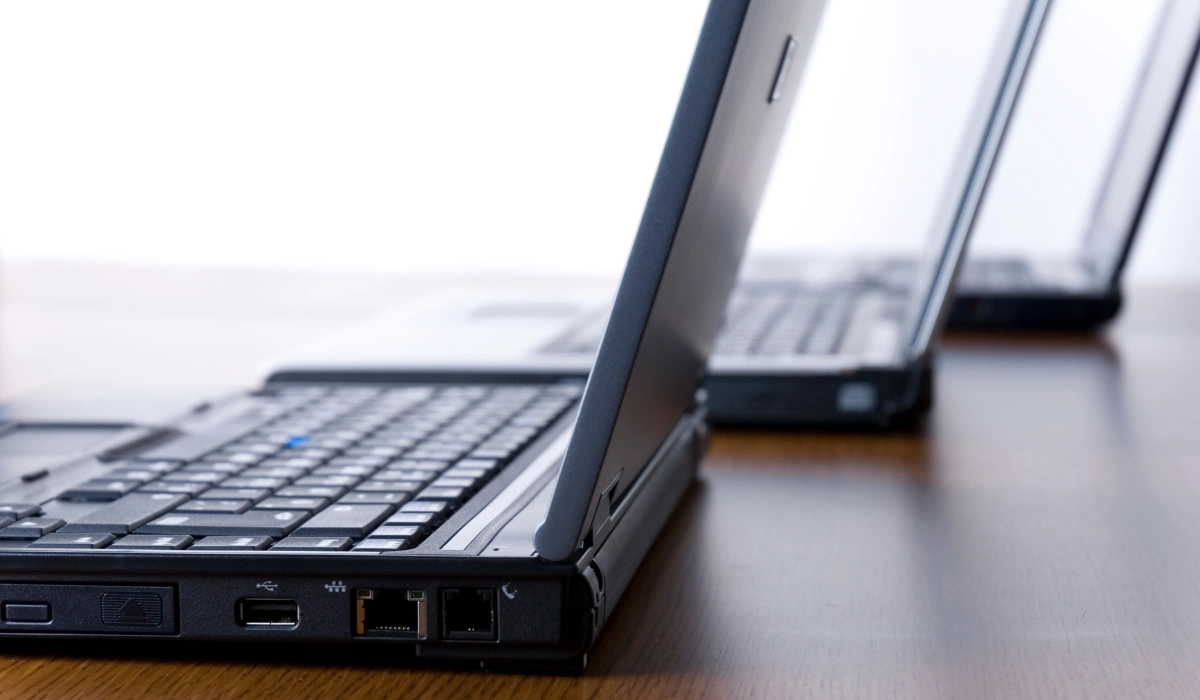
Check the connections the laptop offers carefully. Make sure it has enough USB ports for your peripherals (and that at least one is USB 3.0 or higher for greater speed). An HDMI port is essential for connecting it to an external monitor or a TV. WiFi 6 is the current standard for better wireless speed and stability.
Which laptop should you buy according to its use?
The best way to get it right is to start from what you are going to use the laptop for. This table summarises the recommended configuration for each profile and takes you straight to the options that fit best:
| Main use | Recommended configuration | Where to see them |
|---|---|---|
| Studying and office work | Intel Core i5 · 8 GB RAM · SSD 256-512 GB | Laptops for students |
| Home use | Intel Core i5 · 8 GB RAM · SSD 512 GB | i5 laptops |
| Work and professional | Intel Core i7 · 16 GB RAM · SSD 512 GB | i7 laptops |
| Gaming | Intel Core i7 · 16 GB RAM · dedicated GPU | Gaming laptops |
| Design and video editing | Intel Core i7 · 16 GB RAM · dedicated GPU · IPS screen | Laptops for graphic design |
For studying and office tasks
If you are looking for a laptop to take notes, write essays or browse, you do not need to overspend. A device with an Intel Core i5 processor, 8 GB of RAM and an SSD drive will give you plenty of fluidity. Take a look at the laptops for students.
For home use
For family use (internet, series, office work, video calls), the perfect balance between price and performance is found in a laptop with Intel Core i5 and an SSD.
For work, gaming or design
If you need power for demanding multitasking, gaming or video editing, aim for an i7 laptop with 16 GB of RAM. For gaming, look for one with a dedicated graphics card in the gaming laptops section, and for content creation, the laptops for graphic design.
Why buy a refurbished laptop?
Once you know what specifications you need, buying a refurbished laptop is the smartest way to get them: you access a higher range for the price of a lower one. A refurbished device has been checked, tested and is sold with a warranty, with performance comparable to a new one but much cheaper. In addition, you extend the lifespan of the device and contribute to the circular economy. Discover all the deals on refurbished laptops or find a bargain in the laptop outlet.
Which laptop do you need? find yours
After analysing these tips for buying a laptop, you are ready to make the best decision. Remember that the most expensive is not always the best for you: the key is to identify your needs and find the device that covers them without overpaying. We invite you to see deals on refurbished laptops and to find real bargains with the perfect configuration for you.