 Back-to-School Offers
 Laptops
 Desktop computers
 Computer bundles
 Ordenadores All-in-One
 Monitors
 Refurbished mobile phones
 Tablets
 Zone Apple
 Peripherals and Accessories
 Networks and Cables












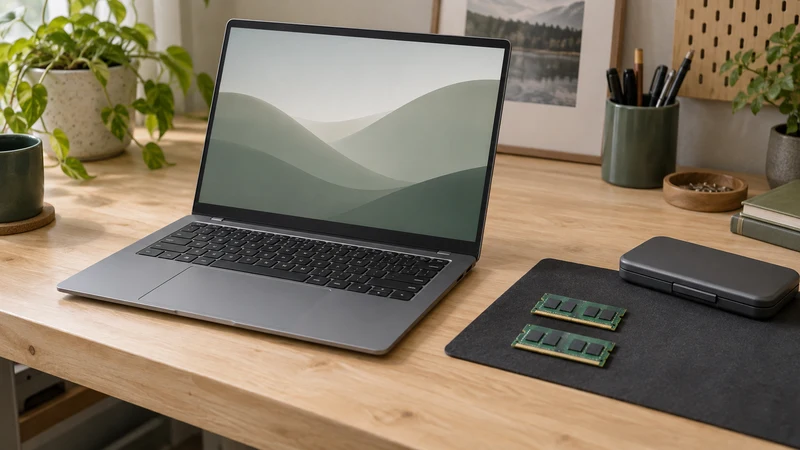
RAM affects the working space available to the system and applications, but it does not summarise a computer’s power. Two laptops with 16 GB can perform very differently if their processor, storage or graphics hardware differs.
When comparing refurbished laptops, start with your programs and what you usually keep open together. Then decide how much memory you need and whether the computer can be upgraded.
RAM and storage have different jobs
RAM holds data the computer is working with. An SSD or hard drive stores files and programs. Free disk space is not additional RAM, and adding RAM does not increase space for documents.
When available memory is insufficient, the system may rely more on storage for support. That can affect responsiveness, but slowdowns can also come from the processor, drive, application or connection. Identify the limit before buying an upgrade.
A starting point based on your usage
This table is guidance, not a guarantee for every program. Check the requirements of your software version and allow room for applications running simultaneously.
| Memory | When it may fit | What to check |
|---|---|---|
| 8 GB | Browsing and simple documents with few simultaneous apps | Software requirements and upgrade options |
| 16 GB | Everyday work with several tools, calls and documents | Actual file, tab and project sizes |
| 32 GB | Large projects, virtual machines or content creation that needs it | Full requirements, processor and graphics, not just RAM |
There is no universal number of tabs that corresponds to a particular memory capacity. A lightweight page and a complex web application use resources differently.
When to consider 8 GB
It may be enough for basic, limited use if your chosen applications support it. Consider whether the laptop will handle a specific task or eventually accumulate video calls, many tabs and open programs.
If your budget means starting with 8 GB, check upgrade options for the exact model. Do not assume you can add memory later: some laptops have partly or entirely soldered RAM.
When to move to 16 GB
For a workstation combining a browser, documents, email and meetings, 16 GB is worth considering as a starting point. Leave headroom for your actual session rather than choosing a figure from a label.
If you already have a computer, open your usual tools and observe memory use in Windows Task Manager. Watch it during the task that concerns you, not only just after startup. An isolated high percentage does not prove you need more RAM.
When 32 GB makes sense
Consider it for large projects, virtual machines or programs recommending that capacity. For video editing, Adobe distinguishes requirements by media and recommends 32 GB or more for 4K in its Premiere requirements. Always check the version and the other required components.
Laptops with 32 GB of RAM may suit those uses, but they do not automatically make any processor suitable for editing, modelling or gaming. More memory helps when the workload needs it; it does not replace suitable graphics hardware or guarantee proportional improvement.
Check upgrade compatibility before buying modules
Consult the exact model’s manual and check:
- Whether RAM is soldered, modular or a mixture.
- Number of slots and which are occupied.
- Maximum capacity supported by the computer.
- Compatible generation, form factor and specifications.
- Conditions and procedure for accessing the components.
Do not choose a module solely for its capacity. DDR4 and DDR5 are not interchangeable, and the form factor must fit the computer. If an upgrade is supported, choose compatible RAM from those specifications. If unsure, ask for confirmation using the exact laptop reference.
Make your decision with this checklist
- I have checked my programs’ requirements and versions.
- I know which applications run together.
- I have considered file and project sizes.
- I have reviewed processor, SSD and graphics as well as RAM.
- I know the model’s upgrade options.
For broader advice, read our guide to buying a laptop. When deciding between configurations, compare the working session they need to handle rather than always choosing the highest number.