 Back-to-School Offers
 Laptops
 Desktop computers
 Ordenadores All-in-One
 Computer bundles
 Monitors
 Refurbished mobile phones
 Tablets
 Zone Apple
 Peripherals and Accessories
 Networks and Cables












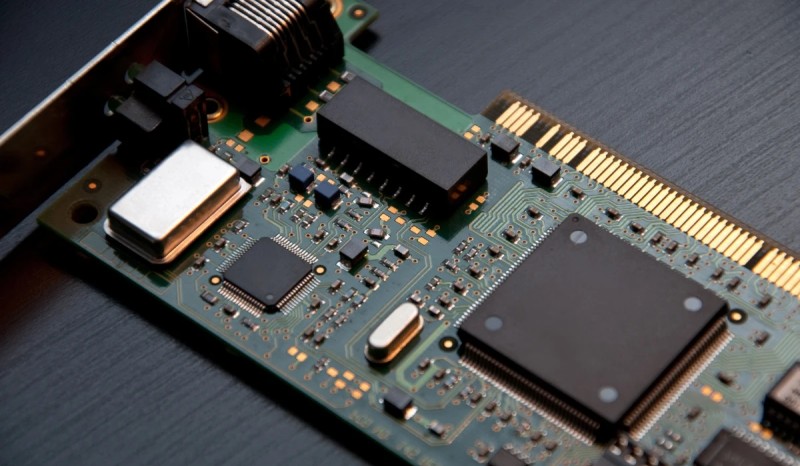
There are many technical terms that are often unfamiliar or confusing. One of them is the network card, a crucial component for any desktop or laptop computer to access the internet.
We will explain in detail what a network card is and what its function is, so you can better understand how your computer connects and how to optimize its performance.
What is a network card? Definition and concept
A network interface card (NIC), also known as a network adapter, is an essential hardware component that allows a computer to connect to a network. It acts as the physical and logical bridge between your computer and the outside world, whether it's the internet or a local area network (LAN).
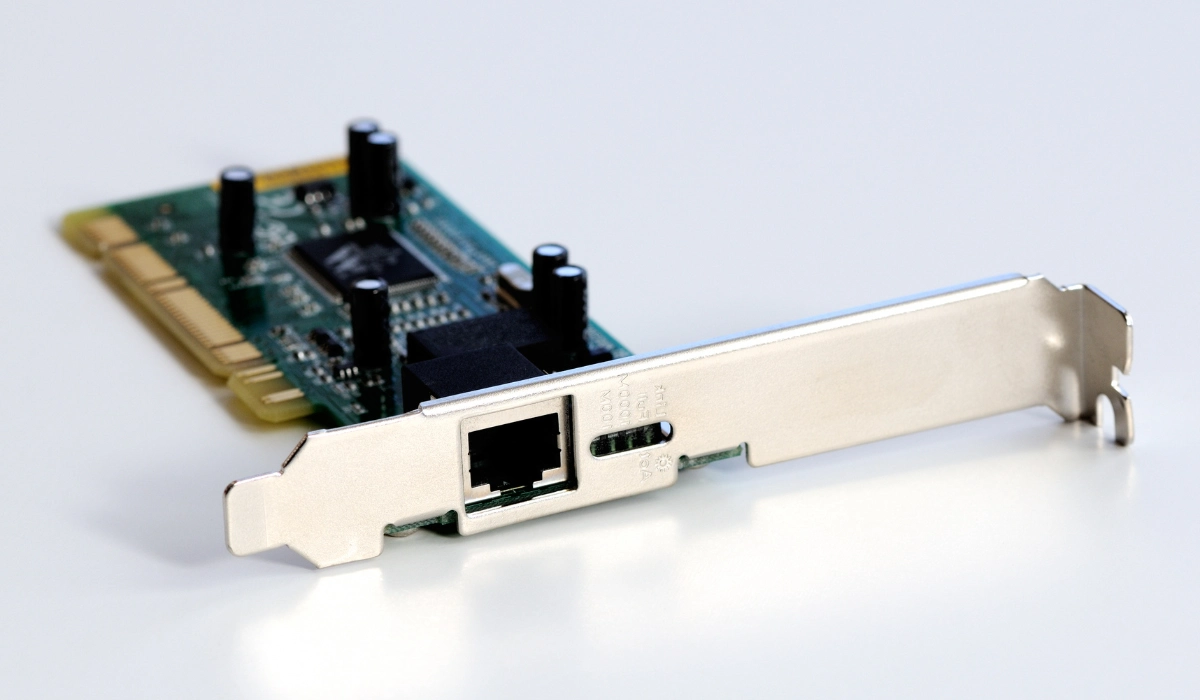
Physically, it can be a card that is inserted into an expansion slot on the computer's motherboard or, more commonly nowadays, a chip integrated directly onto the motherboard itself. Its main function is to prepare, send, and receive data. Therefore, the network card is both an input and output device.
What is the function of a network card?
To put it simply, the network card acts as a translator. The computer works with digital data (zeros and ones), but the network transmits information through electrical signals (via cable) or electromagnetic waves (wirelessly).
The network card is responsible for converting digital data from the computer into the appropriate format for transmission over the network, and vice versa. When it receives information, it decodes it and delivers it to the operating system for processing. It is the essential intermediary for any type of network communication.
How does a network card work?
The operation of a computer's network card is based on a constant process of transmission and reception. When you send an email, for example, the data travels from your processor to the network card. The card packages the data according to a specific protocol (such as TCP/IP) and converts it into signals that travel through the cable or over the air.
Each network card has a unique, one-of-a-kind address at the global level, burned in at the factory. This is known as the MAC (Media Access Control) address. This address is like your device's ID on the local network, allowing the router to know exactly which device to send each data packet to. This ensures that information always reaches the correct destination.
What types of network cards are there?
Not all network cards are created equal. Over the years, they have evolved to accommodate different technologies and speeds. The most common types of network cards can be classified according to their connection method.
You might be interested in: How to connect Wi-Fi to a desktop computer!
1. Ethernet network cards (wired connection)
These are the most traditional and widely used in desktop computers, game consoles, and Smart TVs. They use a cable with an RJ-45 connector to physically connect to the router. They are known for offering a more stable and faster connection than wireless connections.
- Advantages: Higher speed, lower latency (very important for gaming) and a more secure and stable connection.
- Common speeds: Fast Ethernet (100 Mbps), Gigabit Ethernet (1,000 Mbps or 1 Gbps) and 10 Gigabit Ethernet (10 Gbps) for professional environments.
2. Wireless network cards (Wi-Fi)
As their name suggests, these cards allow a device to connect to a network wirelessly, using Wi-Fi technology. They are essential in laptops with the best internet connection, smartphones, and tablets, but can also be added to desktop computers.
- Advantages: Convenience and mobility by eliminating cables. They allow easy connection of multiple devices.
- Common standards: These have evolved over time (Wi-Fi 4, 5, 6, 6E), offering increasingly higher speeds and better management of multiple connected devices.
3. Fiber optic network cards
This type of network card is less common in home environments and is primarily used in data centers, servers, and high-performance enterprise networks. Instead of copper cables, they use fiber optic cables to transmit data as pulses of light.
- Advantages: Extremely high transfer speeds (over 100 Gbps), greater bandwidth and resistance to electromagnetic interference.
- Disadvantages: They are significantly more expensive and require a specialized network infrastructure.
4. Bluetooth network cards
Although often considered a separate technology, Bluetooth also works through a dedicated network adapter or card. Its function is to create a Personal Area Network (PAN) to connect devices over short distances without consuming much power.
- Advantages: Low energy consumption, ideal for connecting peripherals wirelessly.
- Common use: Connecting headphones, speakers, keyboards, mice, and other accessories to a computer or smartphone.
The key component for connectivity
In short, if you're wondering what a network card is, the answer is simple: it's the hardware that gives your computer the ability to communicate with other devices and the internet. Whether through an Ethernet cable for maximum speed or via Wi-Fi for greater convenience, this component is the translator and messenger that manages the entire flow of information.
Understanding their function and the different types of network cards helps you diagnose connection problems and choose the right hardware for your needs, ensuring you always have the best possible performance on your network.