
 Laptops
 Desktop computers
 Ordenadores All-in-One
 Computer bundles
 Monitors
 Refurbished mobile phones
 Tablets
 Zone Apple
 Peripherals and Accessories
 Networks and Cables












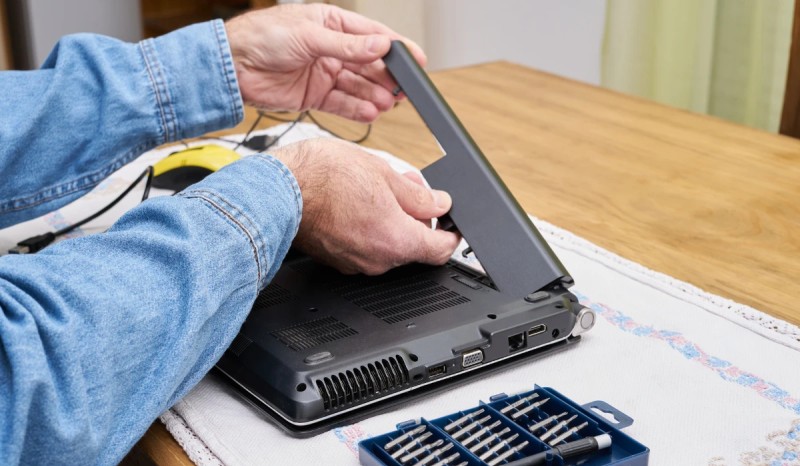
One of the most important and at the same time most delicate elements of any portable electronic device is, without a doubt, the battery.
Today, virtually all our devices, from laptops and mobile phones to headphones, use lithium-ion batteries, which offer much greater capacity and durability than their predecessors (such as nickel-cadmium batteries).
However, this doesn't mean they last forever or that they don't need proper maintenance. If you don't take care of your battery correctly, its lifespan will be drastically reduced, and you'll notice your device's battery life decreasing day by day. If you want to avoid having to buy a new battery for your laptop prematurely, these tips for maintaining lithium batteries will be helpful.
Understanding charging cycles and lifespan
Before we get to the tips, it's essential to understand how a lithium battery "ages." Its lifespan isn't measured in years, but in charge cycles. A charge cycle is completed each time you discharge 100% of the battery's capacity, but this doesn't have to happen all at once. For example, if you use 50% of the battery one day and recharge it, and then do the same the next day, you'll have completed one charge cycle over two days.
Lithium batteries typically have a lifespan of between 300 and 500 full charge cycles. After this point, their maximum energy storage capacity begins to decrease significantly. It's common for the battery's nominal capacity to drop to about 80% of its original capacity after around 300 cycles (approximately a year and a half of normal use). This is when we notice that "the battery doesn't last as long as it used to."
7 tips for caring for lithium batteries
Now that we understand how they work, let's look at what practices we can adopt to properly maintain the battery and maximize its lifespan.
1. Avoid extremes: the 20-80% rule
Forget the old myth that you have to drain your battery to 0% before recharging it. That was true for older batteries, but it's very harmful to lithium batteries. In fact, it's best to avoid extremes:
- Don't let it drop below 20%: Fully discharging the battery generates a high level of chemical stress and accelerates its degradation.
- Don't always charge it to 100%: Keeping the battery at its maximum voltage for a long time (for example, leaving it plugged in all night) also contributes to its wear and tear.
The ideal practice for maintaining a lithium battery is to keep it, whenever possible, within a charge range of between 20% and 80%.

You might be interested in: How to tell if your phone has wireless charging!
2. Beware of heat: the number one enemy
Heat is the factor that degrades a lithium battery the most, even more than charging cycles. High temperatures accelerate internal chemical reactions, irreversibly shortening its lifespan.
- Never leave your laptop or mobile phone in direct sunlight (in the car, at the beach, etc.).
- Avoid using the device for very intensive tasks (such as gaming or video rendering) while it is charging, as this creates a double heat source.
- Make sure your laptop's ventilation grilles are not obstructed.
3. Always use the original charger or a high-quality one
The best charger for your device is the one that came in the box. It's designed to deliver the exact voltage and amperage your battery needs. If you need a new charger, invest in an original one or one from a reputable brand that meets all safety certifications. Cheap, unbranded chargers may lack surge protection and deliver an unstable current, causing irreparable damage to your battery.
4. If you are not going to use the device for a while, store it at half charge
If you're going to store a laptop or tablet for several weeks or months, the condition of the battery is crucial. The official recommendation from manufacturers is:
- Leave it charged between 50% and 60%. Never store it at 100% (it will discharge and degrade faster) or at 0% (it may enter a deep discharge state from which it will not recover).
- Store the device in a cool, dry place with a stable temperature.
5. New batteries do not need to be calibrated
Modern lithium batteries don't require initial full charges or calibrations when new. They come factory-optimized to work perfectly right out of the box. Calibration (charging to 100%, fully discharging, and then recharging to 100%) is only recommended once every few months if you notice the battery percentage indicator is inaccurate.
6. What if I always use my laptop plugged in?
Many users treat their laptops like desktop computers, keeping them plugged in at all times. If this is your case, and your laptop has a removable battery, a good practice is to charge it to 60-70%, remove it, and store the laptop powered only by the charger. If the battery is not removable (the most common scenario nowadays), many modern laptops include battery management software that allows you to limit the maximum charge to 80% to protect it.
7. Avoid partial and very rapid charging and discharging
While not as detrimental as extreme charging, constantly plugging and unplugging the charger for micro-charges (for example, going from 40% to 45%) can affect system calibration. It's better to perform slightly longer charging cycles. Once you unplug it, try to let it discharge at least 5-10% before plugging it back in.
By following these simple tips for lithium batteries, you can perform proper maintenance and enjoy a long battery life on your device for much longer.
