Laptops
 Desktop computers
 Ordenadores All-in-One
 Computer bundles
 Monitors
 Refurbished mobile phones
 Tablets
 Zone Apple
 Peripherals and Accessories
 Networks and Cables












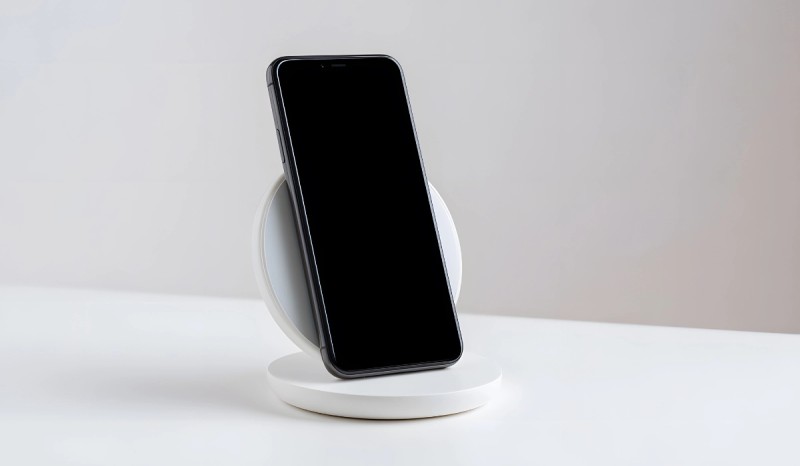
In a world where we seek maximum convenience, wireless charging has become a highly desirable feature in smartphones. Eliminating reliance on cables is not only practical, but it also helps keep our space tidier.
If you've ever wondered, "How do I know if my phone has wireless charging?", don't worry, it's a very common question. In this guide, we'll explain exactly what wireless charging is and give you several easy ways to check it on any device, whether it's an iPhone or Android.
What is wireless charging for mobile phones?
Wireless charging is a technology that allows you to recharge a device's battery without physically connecting it to a cable. Instead, it uses an electromagnetic field to transfer energy between a charging pad and the phone. The most widespread and universal standard is Qi (pronounced "chee").
The process is as simple as placing your phone on the surface of a wireless charger. The pad detects the device and begins safely transferring power. It's a convenient and elegant solution that reduces wear and tear on your phone's charging port.
How to tell if my phone has wireless charging: general methods
There are several ways to verify this feature, from the most obvious to some more technical ones.
1. Check the technical specifications on the box or in the manual
The most reliable and direct method is to consult your phone's original documentation. Check the box or user manual; manufacturers usually highlight this feature with the term "Wireless Charging" or the "Qi Wireless" logo.
2. Search for the exact model online
If you don't have the box, a quick Google search is your best friend. Simply enter your phone's exact model followed by "wireless charging." The first few pages of results, such as those from GSMArena or the manufacturer's official website, will give you an immediate answer.
3. Inspect the back of the phone
While not foolproof, some manufacturers used to include a small Qi wireless charging symbol on the back of the device, especially on older models. Look for a logo indicating this capability.
4. The ultimate test: Use a wireless charging pad
If you have access to a wireless charger (from a friend, at a store, or in a coffee shop), the test is as simple as placing your phone on it. If your phone starts charging, congratulations, it's compatible! If nothing happens, it most likely isn't.

You might be interested in: How to improve your mobile phone's battery life!
How to tell if an iPhone has wireless charging
In the Apple ecosystem, the answer is very simple. Wireless charging on iPhone was introduced as standard starting with a specific generation.
Which iPhone models support wireless charging? Wireless charging began with the iPhone 8, iPhone 8 Plus, and iPhone X, all released in 2017. Therefore, if you have any of these models or a later one, your iPhone is compatible with the Qi standard for wireless charging.
This includes all subsequent series:
- iPhone XR, XS and XS Max
- iPhone 11, 11 Pro and 11 Pro Max
- The entire iPhone 12 series (which also introduced MagSafe)
- The entire iPhone 13 series
- The entire iPhone 14 series
- The entire iPhone 15 series
- iPhone SE models (2nd and 3rd generation)
In short, if your iPhone doesn't have a physical home button (like the iPhone X and later) or if it has a glass back (like the iPhone 8), it's compatible. If you want to know which refurbished iPhone models include it, you can be sure starting with the iPhone 8.
How to tell if an Android has wireless charging
In the Android universe, the situation is more varied. Due to the enormous number of manufacturers and models, there's no single rule. However, as a general rule, wireless charging is usually a feature reserved for high-end models and some mid-range/premium ones.
Brands like Samsung, Google, Huawei, and Xiaomi have included it in their flagship phones for years. For example, to know if your Samsung phone has wireless charging, you can be almost certain if it belongs to the Galaxy S series (from the S6 onwards) or the Note/Ultra series.
To be completely sure, the most reliable methods are:
- Searching for the model online: It's the fastest and most accurate way.
- Check the settings: On some Samsung phones, you can go to Settings > Battery & device care > Battery > Charging, and there you might find a "Fast wireless charging" option.
If you're looking for an Android phone with this feature, in our section of compatible refurbished Samsung Galaxy phones you'll find high-end models at an incredible price.
Advantages and disadvantages of wireless charging
Now that you know how to check if your phone has wireless charging, it's useful to know its pros and cons.
Advantages
- Convenience: It's its biggest advantage. You simply place the phone on the pad and forget about it. No more fumbling for the cable in the dark at night.
- Less wear and tear: By not using the physical port, you reduce wear and tear on your phone's charging connector, one of the most common long-term problems.
- Aesthetics: A charging pad can be a design element on your desk or nightstand, eliminating cable clutter.
Disadvantages
- Charging speed: Generally, wireless charging is slower than wired charging, especially when compared to the ultra-fast charging technologies of many Android phones.
- Less efficiency: During the process, some energy is lost as heat, making it a slightly less efficient method.
- Less versatility: You can't comfortably use your phone while it's charging wirelessly, something that a cable does allow.